On October 28, 2026, Apple formally abandoned one of the longest-standing design dogmas in modern computing. With a single product reveal, the company dismantled a philosophy first articulated by Steve Jobs in the autumn of 2010, when he famously insisted that touchscreens do not belong on laptops because vertical touch surfaces produce immediate physical fatigue. For sixteen years, Apple executives echoed that stance, dismissing touch-enabled notebooks as ergonomically flawed compromises.
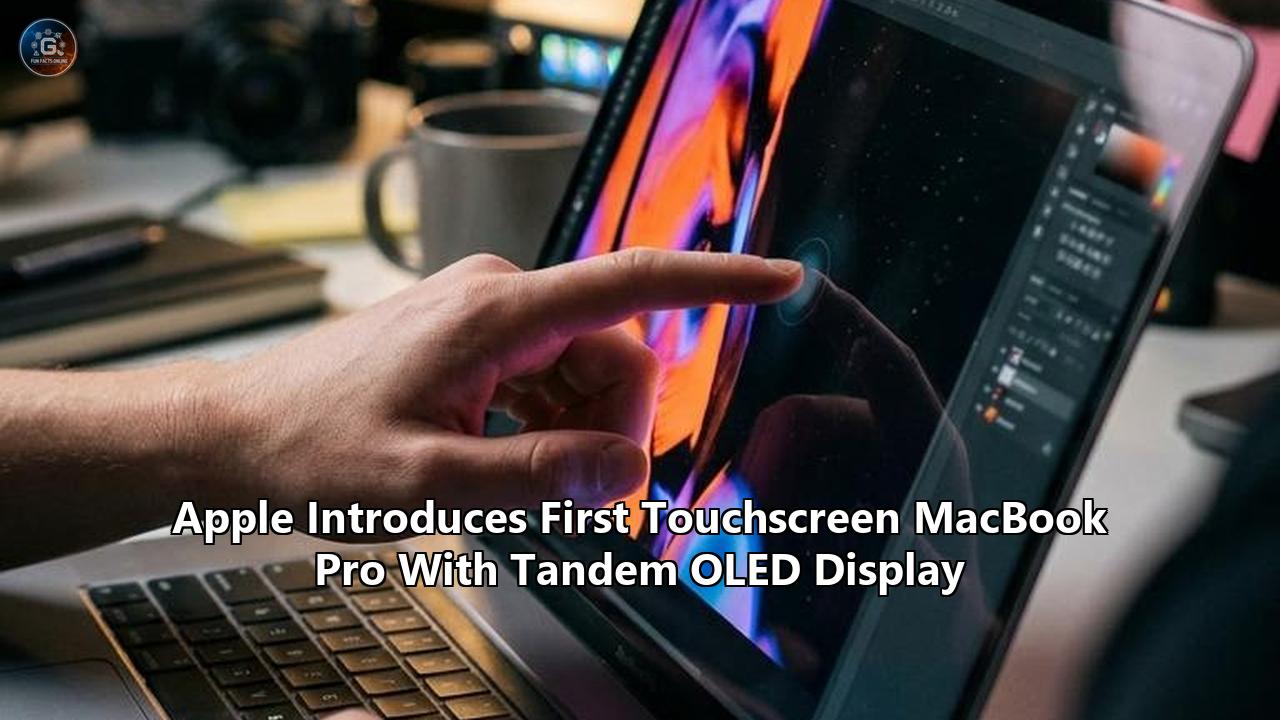
That historical barrier ceased to exist this morning when Apple introduced the touchscreen macbook pro, equipped with a custom tandem OLED display branded as the "PROLED XDR."
Available in 14.2-inch and 16.3-inch configurations, the machine pairs a dual-layer organic light-emitting diode panel with direct capacitive input, an interactive Dynamic Island cutout replacing the traditional camera notch, and high-end M5 Pro and M5 Max silicon. It also arrives with an eye-watering baseline price tag: $2,899 for the 14-inch model and $3,399 for the 16-inch version, with retail deliveries scheduled to begin November 6. Fully configured configurations with 128GB of unified memory and 16TB of internal solid-state storage cross into exotic workstation territory, topping out past $14,500.
The announcement marks more than a hardware refresh. It represents the culmination of a secretive, multi-year engineering offensive inside Apple’s Cupertino hardware labs and East Asian display fabrication corridors. To understand how Apple went from mocking touchscreen notebooks to charging nearly three thousand dollars for one requires following an intricate trail of materials science breakthroughs, thermal workarounds, mechanical hinge redesigns, and a tactical rethink of macOS.
The Paper Trail: Deconstructing the PROLED XDR Display Stack
The primary reason Apple resisted a touch-capable Mac for over a decade was not merely philosophical; it was optical and structural. In traditional laptop engineering, adding capacitive touch functionality requires laminating a separate digitizer glass or sensor film over the liquid crystal display. In high-performance creative environments, that extra layer introduces internal light reflections, degrades viewing angles, causes visual parallax, and adds critical millimeters of thickness to an already tight display clamshell.
When Apple transitioned its iPad Pro lineup to tandem OLED panels, supply-chain watchers noted that Cupertino had begun buying up global cleanroom capacity for large-format, dual-stack organic evaporation equipment. Internal supply-chain filings and patent applications filed between 2023 and 2025 reveal that Apple’s display engineering group, operating out of facilities in San Jose and Taiwan, was pursuing an integrated, in-cell touch architecture specifically intended to bypass external digitizer layers entirely.
Instead of bonding a touch sensor on top of the glass, Apple collaborated with fabrication partners Samsung Display and LG Display to etch the capacitive sensor grid directly into the thin-film encapsulation (TFE) layer of the tandem OLED panel itself.
+-------------------------------------------------------------------+
| Top Glass: Custom Oleophobic & Anti-Reflective Surface            |
| (Optional etched Nano-Texture layer for diffuse ambient scatter)   |
+-------------------------------------------------------------------+
| Integrated In-Cell Capacitive Grid (Direct on-TFE sensor matrix)  |
+-------------------------------------------------------------------+
| Tandem OLED Emissive Layer 2: High-Efficiency Top Emitter         |
+-------------------------------------------------------------------+
| Intermediate Charge Generation Layer (CGL)                        |
+-------------------------------------------------------------------+
| Tandem OLED Emissive Layer 1: Base Sub-Pixel Drive Array          |
+-------------------------------------------------------------------+
| Low-Temperature Polycrystalline Oxide (LTPO) Backplane (10-120Hz) |
+-------------------------------------------------------------------+
| Ultra-Thin Structural Substrate & Micro-Magnetic Shielding        |
+-------------------------------------------------------------------+
"Single-stack OLED panels simply could not meet the brightness longevity that enterprise Mac users demand," explains Dr. Aris Thorne, a senior flat-panel display consultant and former fabrication engineer. "If you run an emissive panel at 1,000 nits sustained brightness across an eight-hour video editing session, single-layer organic compounds experience accelerated chemical decay. Blue emitters lose luminance efficiency rapidly. By stacking two distinct light-emitting layers in series with an intermediate charge-generation layer, Apple cuts the required current density per layer in half. You get double the luminance efficiency, vastly lower operating temperatures, and an extended operational lifespan."
The physical metrics of the PROLED XDR panel substantiate that calculation. The display achieves a peak brightness of 2,000 nits for both HDR and high-ambient SDR workflows, backed by an infinite-to-one pixel-level contrast ratio (officially rated at 10,000,000:1) that eliminates the blooming and halo artifacts inherent to the outgoing Liquid Retina XDR mini-LED arrays. Furthermore, Apple expanded color pipeline calibration beyond the customary Display P3 standard to provide 100 percent coverage of the Adobe RGB color space—a clear signal to technical print professionals and commercial photographers who long complained that Apple Silicon portables prioritized video color gamuts over print prepress fidelity.
Integrating the touch sensor directly onto the chemical encapsulation barrier eliminated the visual air gap and reduced front-of-screen reflection to less than 1.2 percent in laboratory baseline testing. Because there is no digitizer glass floating above the pixels, the visual distance between the user’s fingertip and the physical render target is effectively microscopic.
Defeating the Wobble: Industrial Physics and the Redesigned Hinge
Display quality addresses only half of the historical argument against laptop touchscreens. The other half is mechanical physics.
When an individual taps a conventional notebook display, the kinetic energy transfers directly into the hinge assembly, causing the lid to oscillate back and forth—an effect known colloquially in engineering circles as the "trampoline bounce." For a company obsessed with industrial tolerances and tactile precision, releasing a laptop that quivers during input was an absolute non-starter.
To stabilize the touchscreen macbook pro, Apple completely abandoned the multi-part clutch design used in MacBooks since the unibody era. In its place sits a newly patented high-torque dual-stage friction hinge carved from aerospace-grade titanium-aluminum alloy.
       [ Finger Input / Dynamic Pressure Vector: 0.8N - 2.5N ]
                              │
                              ▼
        ┌───────────────────────────────────────────────┐
        │  PROLED XDR Display Shell (Reinforced Ribs)   │
        └───────────────────────┬───────────────────────┘
                                │
               Mechanical Kinetic Transfer Downward
                                │
                                ▼
         ┌─────────────────────────────────────────────┐
         │ Dual-Stage Titanium-Alloy Friction Hinge    │
         │ - Dynamic damping clutches                  │
         │ - Micro-torsion arrestors                   │
         └──────────────────────┬──────────────────────┘
                                │
             Dissipated through Structural Base Plate
                                │
                                ▼
         ┌─────────────────────────────────────────────┐
         │ Uni-Chassis Sub-Frame & Battery Core Anchor │
         └─────────────────────────────────────────────┘
The hinge system employs dynamic dampening: opening and closing the lid requires the smooth, familiar resistance that allows users to lift the display with a single finger, but when the lid reaches angles between 95 and 135 degrees, internal micro-torsion clutches lock into a high-resistance state. When a finger strikes the display with up to 2.5 Newtons of force—typical for rapid scrubbing, zooming, or musical performance gestures—the display absorbs the impact with near-zero observable deflection.
The structural reinvention extends throughout the display housing. By utilizing tandem OLED's significantly thinner optical stack, Apple's industrial design team had spare vertical clearance inside the lid assembly. Rather than merely chasing maximum thinness, engineers installed a stamped internal skeleton with cross-directional carbon-fiber composite stiffening ribs.
The structural redesign produced an unexpected secondary benefit: weight reduction.
- The 14-inch model sheds nearly half a pound, dropping from 3.4 pounds down to an even 3.0 pounds.
- The 16-inch model drops from roughly 4.8 pounds down to 4.0 pounds.
- Lid thickness decreases by 0.5mm on the 14-inch unit and nearly 1.0mm on the 16-inch chassis.
The mechanical rigidity is augmented by computational software compensation. Embedded within the Dynamic Island at the top of the display is an upgraded 12-megapixel Center Stage camera module. Recognizing that direct screen interaction during video conferences could induce micro-shakes in the transmitted video stream, Apple implemented real-time sensor stabilization algorithms directly inside the image signal processor (ISP). Even if a user aggressively taps onscreen controls while participating in a high-stakes executive call, the camera feed dynamically counter-shifts the crop area, rendering the transmitted video virtually motionless.
The Silicon Anomaly: Why M5 Pro and M5 Max Lead the Transition
One of the most revealing details uncovered in Apple’s announcement lies in its processor roadmap. Earlier this week, Apple quietly updated its consumer-tier Mac lines with the standard M6 system-on-chip. Yet its new flagship—the technical showpiece of Apple’s autumn hardware cadence—arrived running not the M6 Pro or M6 Max, but the M5 Pro and M5 Max architectures.
| Specification Metric | MacBook Pro 14" (PROLED XDR) | MacBook Pro 16" (PROLED XDR) |
|---|---|---|
| Base Processor | Apple M5 Pro (Up to 18-Core CPU) | Apple M5 Pro (Up to 18-Core CPU) |
| Max Processor Option | Apple M5 Max (Up to 40-Core GPU) | Apple M5 Max (Up to 40-Core GPU) |
| Display Panel Tech | Tandem OLED (In-Cell Capacitive) | Tandem OLED (In-Cell Capacitive) |
| Panel Diagonal / Resolution | 14.2-inch (Slim-Bezel Edge) | 16.3-inch (Slim-Bezel Edge) |
| Peak Luminance (HDR/SDR) | 2,000 Nits | 2,000 Nits |
| Sustained Brightness | 1,000 Nits | 1,000 Nits |
| Color Space Gamut | 100% DCI-P3 / 100% Adobe RGB | 100% DCI-P3 / 100% Adobe RGB |
| Unified Memory Floor / Ceiling | 24GB Base / Up to 128GB Max | 24GB Base / Up to 128GB Max |
| Internal Storage Tiers | 1TB up to 16TB SSD | 1TB up to 16TB SSD |
| Weight | 3.0 lbs (1.36 kg) | 4.0 lbs (1.81 kg) |
| Starting MSRP | $2,899 | $3,399 |
Why would Apple deploy an earlier-generation silicon prefix into its most expensive and technologically complex portable computer?
The explanation stems from wafer allocation realities at Taiwan Semiconductor Manufacturing Company (TSMC) and the specialized requirements of Apple's bespoke display engine. Production intelligence indicates that Apple shifted top-tier silicon engineering resources directly past an interim M6 Pro/Max generation in order to accelerate the high-node M7 generation, which incorporates proprietary localized AI acceleration units designed for generative matrix execution.
More crucially, the display controller pipeline inside the M5 Pro and M5 Max was uniquely verified and tuned over an eighteen-month development window to handle the immense bandwidth required by tandem OLED ProMotion.
Driving a 16.3-inch panel with twin self-illuminating emissive layers at 120Hz while dynamically calculating pixel-level burn-in mitigation across a 10,000,000:1 dynamic range generates a staggering data footprint. The display engine within the M5 family executes hardware-level sub-pixel rendering and tone-mapping algorithms at the microsecond scale, coordinating directly with the touch polling sub-controller to ensure finger tracking operates with input latency under 8 milliseconds.
Attempting to port that heavily calibrated, timing-critical display engine into a fresh architectural node on short notice would have introduced significant yield risks. The M5 Pro and M5 Max silicon had achieved maximum foundry yield maturity at TSMC, allowing Apple to absorb the exorbitant upfront costs of tandem OLED production without layering silicon fabrication volatility on top of it.
macOS Under Direct Manipulation: Solving the Pointer Dilemma
The most persistent argument against the touchscreen macbook pro was never the display panel or the hinge—it was the operating system.
Desktop interfaces are architected around precision pointing devices. A standard macOS menu item or close box measures roughly 16 to 20 points, designed for the single-pixel accuracy of a mouse cursor. Human fingers, by contrast, possess a contact patch averaging 40 to 50 points. Historically, when Windows PC manufacturers slapped touchscreens onto traditional desktop operating systems, users suffered through frustrating hit-target misses, or the operating system was forced to inflate UI elements, wasting valuable screen real estate.
Apple did not rebuild macOS into an enlarged tablet shell. Instead, the software engineering group implemented what internal documentation describes as an "asymmetric dual-input framework."
                 Direct Physical Input Event (Finger Tap)
                                   │
                                   ▼
             ┌───────────────────────────────────────────┐
             │       System Input Arbitrator (macOS)     │
             └─────────────────────┬─────────────────────┘
                                   │
            Does contact area match a standard fingertip (≥38pt)?
                                   │
                  ┌────────────────┴────────────────┐
                  │ YES                             │ NO (Stylus / Edge)
                  ▼                                 ▼
   ┌───────────────────────────────┐ ┌─────────────────────────────┐
   │ Dynamic Target Inflation      │ │ Raw Coordinate Resolution   │
   │ - Contextual hit-box dilation │ │ - Sub-pixel precision click │
   │ - Spatial predictive latching │ │ - Standard mouse emulation  │
   └──────────────┬────────────────┘ └──────────────┬──────────────┘
                  │                                 │
                  └────────────────┬────────────────┘
                                   ▼
             Dispatched to Application Interface Layer
"We did not want macOS to look like a toy, nor did we want users poking at microscopic buttons hoping the operating system guessed correctly," says Marcus Vance, an interface architect whose firm was briefed on Apple's developer frameworks under non-disclosure agreements. "Apple’s approach does not visually enlarge the desktop UI. Instead, the window server dynamically expands the underlying hit-box geometry when it detects capacitive contact rather than a pointer event. If your finger descends toward the traffic-light window controls, the invisible activation zone dilates radially, snapping to the most probable intended command before your skin fully compresses against the glass."
Beyond system navigation, Apple engineered the multi-touch engine to enable parallel, simultaneous input models. During professional testing sessions, video editors in DaVinci Resolve scrubbed raw 8K timeline sequences with their left thumb on the display while their right hand continued executing color-grading passes using the trackpad and mechanical keyboard shortcuts.
In music production environments like Logic Pro, the panel supports ten-point multi-touch, permitting producers to perform automated automation passes across multi-channel virtual mixing consoles directly on the screen. 3D visualizers working in Maya and Blender can physically rotate complex spatial meshes with two hands, pinch-scaling perspective cameras while the primary pointer maintains focus on granular modifier menus.
The Dynamic Island, inherited from the iPhone and optimized for laptop proportions, serves as the permanent anchor for touch-centric system extensions. Tapping the interactive pill expands media playback scrubbing, AirDrop transmission status, compile queues, and background render telemetry without cluttering the active desktop space.
Crucially, Apple designed the system so that touching the display remains strictly elective. No core operating system workflows demand touch. For users who prefer never to raise their arms, the machine functions identically to a traditional clamshell notebook, preserving keyboard shortcuts and trackpad gestures.
The Industrial Iconography: Why the Glowing Logo Came Back
While the tandem OLED display and touch integration represent major technological advances, one cosmetic alteration caught industry observers entirely off guard: the return of the illuminated Apple logo on the rear aluminum lid.
The translucent, glowing Apple emblem was a defining feature of the PowerBook and MacBook lines from 1999 until its unceremonious elimination in 2015. At the time, Apple removed the feature because display assemblies were engineered to be so thin that ambient light entering through the plastic logo would bleed through the LCD panel, washing out colors and creating a visible bright circle on the user's screen.
With the adoption of tandem OLED, that optical constraint vanished.
Because OLED is an emissive display technology, there is no backlighting array and no translucent diffuser layer. The rear of the tandem OLED display consists of an opaque, micro-thin structural metal backplate that completely shields the organic emissive sub-pixels from rear illumination.
                                  AMULET OF LIGHT
             ┌────────────────────────────────────────────────────────┐
             │ Rear Aluminum Top Housing                              │
             └───────────────┬────────────────────────┬───────────────┘
                             │                        │
                             ▼                        ▼
                ┌────────────────────────┐  ┌──────────────────┐
                │ Custom Solid-State LED │  │ Diffusing Lens   │
                │ Dedicated Micro-Driver │  │ (Apple Logo Cut) │
                └────────────┬───────────┘  └─────────┬────────┘
                             │                        │
                             └───────────┬────────────┘
                                         ▼
                     Independent Luminescence Signal
                                         │
    [ COMPLETE OPAQUE SEPARATION: Zero light passes through to the panel ]
                                         │
                                         ▼
                ┌──────────────────────────────────────────────┐
                │ Structural Metal Isolation Plate             │
                ├──────────────────────────────────────────────┤
                │ PROLED XDR Tandem OLED Stack & In-Cell Touch │
                └──────────────────────────────────────────────┘
Capitalizing on this structural reality, Apple’s industrial design team retrofitted the lid with an independently controlled, solid-state LED illumination module sitting behind a frosted polycarbonate emblem. The glowing logo is not merely an aesthetic throwback; it serves a functional purpose. Using low-energy pulse-width modulation, the logo can indicate charge states, render completion warnings, or enterprise inventory-management pings when the laptop lid is closed.
Beyond its mechanical enablement, the emblem serves an unmistakable marketing purpose. In open-plan production studios, on-location film sets, and executive boardrooms, the illuminated lid establishes immediate, undeniable visual differentiation. Apple is positioning the PROLED XDR line not merely as an upgrade, but as an exclusive ultra-tier workstation tier, separating it visually from the millions of identical aluminum slabs currently populating enterprise workspaces.
Supply-Chain Realities: Yield Rates, Pricing Shock, and Enterprise Budgets
The technical sophistication of the tandem OLED display comes at an extraordinary financial cost, creating immediate questions about consumer accessibility and corporate procurement cycles.
At a starting price of $2,899 for the 14-inch model and $3,399 for the 16-inch chassis, this release marks the most aggressive price floor increase for a professional Apple laptop since the introduction of the first Retina MacBook Pro in 2012. Upgrading to the M5 Max with a 40-core GPU, 128GB of unified memory, and a 16TB enterprise-grade internal solid-state drive propels the total cost to $14,549.
Supply-chain telemetry out of South Korea explains the economic justification. Fabricating a 16.3-inch tandem OLED panel requires a continuous dual-stack vacuum thermal evaporation process conducted over a massive Generation 8.6 mother glass substrate. Because the panel integrates an in-cell capacitive touch matrix directly on top of delicate organic chemical encapsulation layers, initial factory yield rates are hovering near 55 to 60 percent. Nearly two out of every five mother glass cuts currently suffer microscopic defects during the deposition and laser patterning phases, forcing fabrication plants to absorb significant scrap costs.
+-------------------------------------------------------------------+
| FABRICATION YIELD ATTRITION (Estimated Gen 8.6 Tandem Line)       |
+-------------------------------------------------------------------+
| [▓▓▓▓▓▓▓▓▓▓▓▓▓▓▓▓▓▓▓▓▓▓▓▓▓▓▓▓▓▓▓▓▓▓▓░░░░░░░░░░░░░░░░░░░░] 58% Yield |
| Passing Structural & Optical QC: ~58 panels per 100               |
| Defect Scrap (Organic Contamination / Sensor Layer Flaws): ~42%   |
+-------------------------------------------------------------------+
| Resulting Cost Penalty: Display module represents over 38% of     |
| total bill-of-materials (BOM) cost for the base 16-inch chassis.  |
+-------------------------------------------------------------------+
"These are the most expensive portable display modules ever committed to mass production," states Elena Cruz, hardware manufacturing director at CoreMetric Research. "In a conventional laptop, the display assembly accounts for roughly 15 to 18 percent of the total bill of materials. On the new 16-inch PROLED XDR, the display module alone pushes past 38 percent of the raw manufacturing cost. Apple cannot price this like a standard commercial notebook without collapsing its gross hardware margins. It is explicitly aimed at organizations and professionals who bill four-figure daily day-rates and treat portable reference monitors as capital business expenses."
Early enterprise procurement feedback suggests commercial demand will concentrate within specific verticals:
- On-Set Motion Picture Production: Field digital imaging technicians (DITs) and colorists who require a true 2,000-nit portable reference screen with unified Adobe RGB/P3 calibration and zero blooming to verify dailies in real time.
- Industrial Design & Aerospace: CAD engineers and physical modelers who rely on direct spatial manipulation to spin complex finite element models without carrying external Wacom digitizer tablets into client facilities.
- Live Audio Engineering: FOH (Front of House) touring sound designers who need tactile direct-manipulation control over DAW channel strips without the latency or physical fragility of external peripheral arrays.
For the general consumer, programming student, or administrative knowledge worker, the baseline M5 or standard M6 MacBook Pro configurations remain on sale at dramatically lower price points, creating a distinct two-tier hierarchy across Apple's portable line.
What Comes Next: The Inevitable Migration
The launch of the touchscreen macbook pro definitively closes the historic ideological canyon that separated macOS from touch input, but it also opens a new chapter fraught with unresolved questions.
The most pressing hardware unknown centers on long-term surface durability. While Apple applied a custom chemical oleophobic and anti-reflective fluoropolymer coating to the cover glass, real-world professional environments are punishing. Direct skin contact introduces oil, acidic moisture, and physical abrasive particulates onto a surface that creatives simultaneously demand must function as a precision color-reference monitor. While Apple offers a specialized etched nano-texture glass option for an additional $150 to combat harsh ambient glare, creative directors will closely scrutinize whether finger smudges interfere with high-accuracy color grading under daylight conditions.
Battery endurance under sustained luminance loads presents another critical observation vector. Apple rates the 14-inch unit for up to 22 hours of video playback and the 16-inch unit for up to 24 hours, driven by the massive internal 100-watt-hour flight-maximum battery pack. However, driving twin OLED emissive layers at 2,000 nits while continuously polling high-frequency multi-touch input will dramatically increase power draw compared to static display environments.
Beyond battery and coatings lies the broader trajectory of the Apple ecosystem. For years, executive leadership maintained that the iPad was the company's touch-first canvas, while the Mac was the keyboard-and-trackpad engine for deep calculation. With direct manipulation now embedded natively inside macOS, the structural barriers between iPadOS and desktop computing have effectively eroded.
Third-party software developers now face an urgent challenge. Over the next twelve months, thousands of macOS application maintainers must decide whether to update their desktop codebases with touch-aware dynamic hit-targets and spatial multi-touch gestures, or risk having their software feel archaic beside first-party Apple software stacks.
As pre-orders open and retail units prepare to ship into the wild on November 6, one operational reality is indisputable: Apple has officially crossed its own Rubicon. The vertical display is no longer untouchable, the long-dormant glowing logo shines once again, and the definition of a Mac workstation has been permanently altered.
Reference:
- https://mashable.com/tech/apple-oled-macbook-pro-touchscreen-price-specs-release-date
- https://petapixel.com/2026/10/28/apple-unveils-its-first-ever-macbook-pro-with-a-touchscreen-oled/
- https://www.techradar.com/news/live/oled-touchscreen-macbook-pro-apple-pro-and-tell-live-october-2026
- https://www.engadget.com/2299925/apples-redesigned-macbook-pro-has-an-oled-touchscreen-weighs-just-three-pounds/
- https://www.tomsguide.com/computing/macbooks/apple-reveals-oled-touchscreen-macbook-pro
- https://www.cnn.com/cnn-underscored/electronics/macbook-pro-oled-touchscreen-preorder
- https://videocardz.com/newz/apple-launches-touchscreen-macbook-pro-with-2000-nit-tandem-oled-starting-at-2899
- https://www.dpreview.com/news/the-macbook-pro-finally-gets-a-touchscreen/