
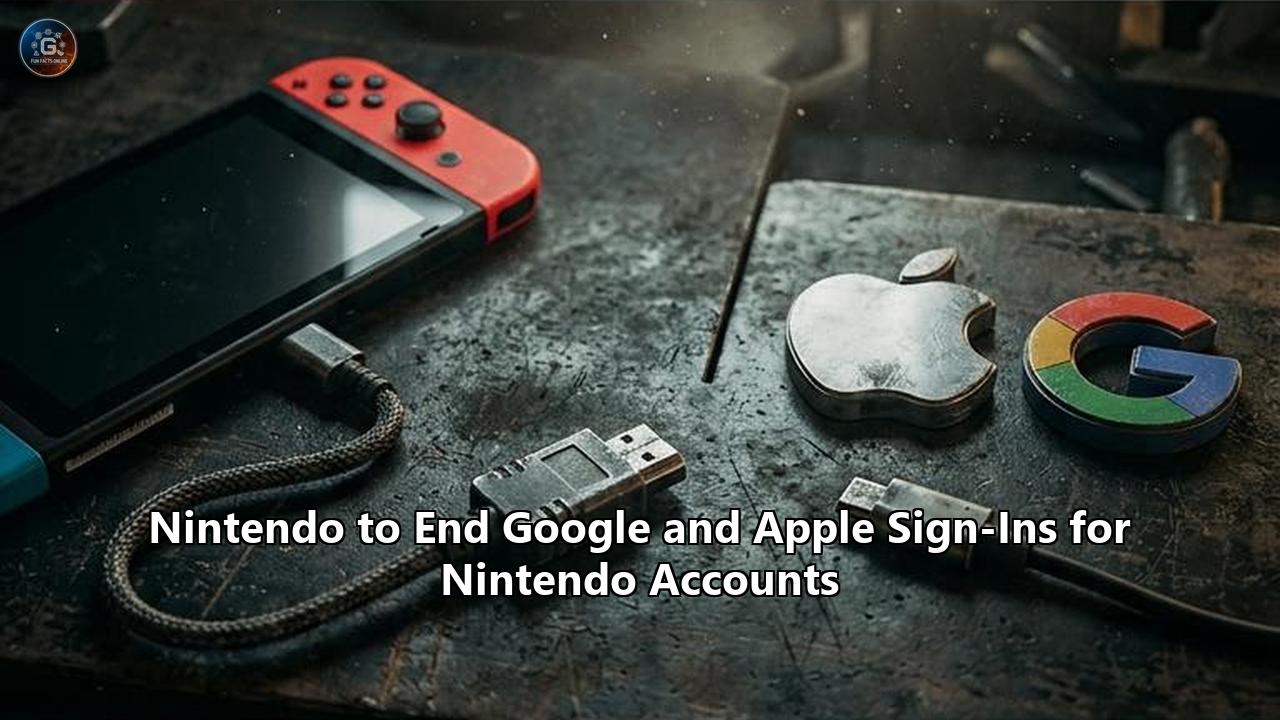
Nintendo has officially announced that it will terminate support for Google and Apple account logins across its global account infrastructure, setting a firm deadline that will fundamentally alter how tens of millions of players access their digital games, cloud saves, and subscription services. According to an official support bulletin published by the Kyoto-based gaming company, players will no longer be able to use Google or Apple credentials to sign in to or create a Nintendo Account starting January 26, 2027, at 4:00 PM Japan Standard Time (11:00 PM Pacific Time on January 25; 2:00 AM Eastern Time and 7:00 AM Greenwich Mean Time on January 26).
The decision eliminates the final remaining third-party authentication options from Nintendo’s ecosystem, completing a multi-year retreat from external single sign-on (SSO) integrations. Once the change takes effect, the "Easy Login" feature will cease to exist. Users who have relied on Google’s OAuth prompts or Apple’s biometric "Sign in with Apple" interface must transition to direct Nintendo Account credentials—specifically a registered email address or custom Sign-In ID paired with a traditional password—or adopt cryptographic passkeys.
Nintendo accompanied the announcement with an apology, acknowledging the disruption for long-time users while advising that "the exact end time may be delayed depending on the progress of the system change work". The bulletin also confirmed the immediate retirement of associated promotional systems, including the My Nintendo Points mission that rewarded users with Platinum Points for linking a Google account.
This move comes at a pivotal operational moment for the company. With hardware in the Nintendo Switch family—including the standard Switch, Switch Lite, Switch OLED, and the Nintendo Switch 2—deeply integrated into the Nintendo Account framework, this identity shift introduces immediate friction for casual users and sets off an administrative race to prevent widespread account lockouts before early 2027.
TIMELINE OF NINTENDO'S IDENTITY FEDERATION RETREAT

[April 2020]
  │  Credential-stuffing attack compromises ~300,000 legacy accounts
  ▼
[April 2020]
  │  Nintendo Network ID (NNID) login support terminated
  ▼
[October 25, 2022]
  │  Facebook and Twitter (X) login integrations permanently discontinued
  ▼
[November 10, 2026]
  │  Official announcement: Google and Apple sign-in deprecation scheduled
  ▼
[January 26, 2027 (4:00 PM JST)]
  │  Hard cutoff: Google and Apple SSO eliminated;
  ▼  Passkeys, Email/Sign-In ID, and passwords become mandatory
The Four Structural Shifts Taking Effect in January 2027
The scheduled termination represents more than a routine interface tweak; it is a structural decoupling of Nintendo’s identity layer from Silicon Valley's two largest identity providers. The impending Nintendo account sign in changes consist of four distinct, mandatory technical enforcements:
- Complete Termination of Third-Party Federated Authentication: After the January 26 deadline, authentication requests routing through Google Identity Services or Apple’s identity endpoints will be rejected at the server level. Clicking a Google or Apple button on console web views or mobile portals will no longer return a valid authentication token to Nintendo’s identity servers.
- Prohibition on New Social Account Registrations: Prospective players setting up a Nintendo Account for the first time will no longer have the option to instantiate an account using federated profiles. All new accounts must be registered using a verified, direct email address or Sign-In ID with an independent password, accompanied by optional passkey enrollment.
- Decommissioning of Linked Account Infrastructure: Within the Nintendo Account management portal (accounts.nintendo.com), the "Linked Accounts" sub-menu will purge Google and Apple bindings. Users will no longer have the capability to bridge these profiles to streamline authentication or cross-populate profile data.
- Abolition of Gamified Identity Rewards: Nintendo is officially retiring its long-standing My Nintendo reward mission that awarded Platinum Points for linking an external Google profile. While minor in economic value, these missions historically served as user-acquisition incentives to encourage account federation.
A notable operational caveat centers on device persistence. Nintendo’s technical notice specifies that users already authenticated on dedicated hardware may remain logged in past the January 26 cutoff without immediate interruption. However, this persistence is conditional.
Any event that revokes or refreshes an active OAuth session—such as a system firmware update, manual cache clearance, factory reset, secondary console registration, eShop purchase re-verification, or system transfer—will force an interactive login screen. At that juncture, any user who has not established native Nintendo credentials will face an impassable authentication barrier.
Who Is Affected: Mapping Exposure Across Hardware and Demographics
Because the Nintendo Account acts as the central connective tissue for licensing, multiplayer services, and cloud persistence, this policy change affects a diverse segment of Nintendo's active user base of over 150 million registered accounts. The impact is not distributed evenly; it concentrates heavily within specific usage patterns and demographic groups.
Hardware Ecosystems Under Scope
The policy applies uniformly across all hardware that hooks into the modern Nintendo Account architecture. This encompasses the entire Nintendo Switch family: the original 2017 hybrid console, the handheld-only Switch Lite, the premium Switch OLED model, and the Nintendo Switch 2.
Beyond dedicated consoles, the mandate affects secondary mobile applications. The Nintendo Switch Online companion app (used for voice chat and game-specific services such as SplatNet), the Nintendo Switch Parental Controls application, the Nintendo Today feed, and smartphone titles like Fire Emblem Heroes and Animal Crossing: Pocket Camp Complete utilize web-token handshakes linked to central Nintendo Account credentials. Players who interact with these touchpoints will experience authentication prompts when sessions cycle.
                     ┌────────────────────────────────────────┐
                     │         NINTENDO ACCOUNT LAYER         │
                     │  (Central Identity, Licenses, Saves)   │
                     └───────────────────┬────────────────────┘
                                         │
        ┌────────────────────────────────┼────────────────────────────────┐
        │                                │                                │
        ▼                                ▼                                ▼
┌──────────────────┐           ┌──────────────────┐             ┌──────────────────┐
│ CONSOLE HARDWARE │           │ DIGITAL WEBSITES │             │   MOBILE APPS    │
│                  │           │                  │             │                  │
│ • Switch (Orig.) │           │ • My Nintendo    │             │ • NSO Companion  │
│ • Switch Lite    │           │ • Web eShop      │             │ • Parental Ctrls │
│ • Switch OLED    │           │ • Account Portal │             │ • Mobile Games   │
│ • Switch 2       │           │                  │             │                  │
└──────────────────┘           └──────────────────┘             └──────────────────┘
The "Frictionless Adopter" Cohort
The largest group facing immediate lockout risk consists of casual players who created their accounts on a mobile browser or PC during the peak Switch years using one-click social buttons.
When users select "Sign in with Google" or "Sign in with Apple," the federated provider authenticates their identity and passes back a cryptographic identity token along with basic profile data. In many configurations, Nintendo did not force the user to establish an independent password for its own platform. Consequently, millions of account holders do not have a dedicated Nintendo password on file.
These players have operated under the assumption that their Google or Apple password is their Nintendo password—a misconception that will result in failed login attempts when the dedicated SSO buttons vanish.
The Apple "Hide My Email" Complication
The most technically vulnerable demographic comprises iOS and macOS users who registered via "Sign in with Apple" and enabled the "Hide My Email" privacy feature.
+--------------------------------------------------------------------------------+
|                        THE APPLE PRIVATE RELAY DILEMMA                         |
|                                                                                |
|  [Apple Device User]                                                           |
|          │                                                                     |
|          ├─► Selects "Sign in with Apple" + "Hide My Email"                    |
|          │                                                                     |
|          ▼                                                                     |
|  [Apple Identity Services]                                                     |
|          │                                                                     |
|          ├─► Generates opaque relay: "[email protected]"     |
|          │                                                                     |
|          ▼                                                                     |
|  [Nintendo Account Database]                                                   |
|          │                                                                     |
|          ├─► Stores relay address as the primary account email                 |
|          │                                                                     |
|  ============================== AFTER CUTOFF ================================  |
|                                                                                |
|  [User Needs Password Reset]                                                   |
|          │                                                                     |
|          ├─► Enters personal inbox (e.g., "[email protected]") ──► NOT FOUND |
|          │                                                                     |
|          └─► Must locate exact @privaterelay address inside Apple ID settings  |
|              before password reset emails can route successfully               |
+--------------------------------------------------------------------------------+
When this privacy option is activated, Apple generates an opaque, randomized forwarding address (e.g., [email protected]) rather than transmitting the user’s real inbox address to Nintendo. That relay address becomes the immutable primary identifier in Nintendo’s database.
If such users do not inspect their account profiles before January 26, 2027, they will not know which email address Nintendo holds on record. Triggering a standard "Forgot Password" flow using their personal Gmail or iCloud address will fail, returning an error that no account is associated with that email.
Furthermore, if a user ever deletes the app connection within their Apple ID settings, Apple immediately stops forwarding emails sent to that relay, rendering automated password recovery impossible without manual customer support intervention.
Family Administrators and Child Accounts
Nintendo Accounts serve as the administrative umbrella for Family Groups, which can link up to eight individual accounts for sharing Nintendo Switch Online Family Memberships and managing child profiles.
In many households, the primary organizer account was set up by a parent using a Google or Apple account, while child accounts were created underneath it as managed supervised profiles.
If the parent account administrator loses access due to authentication obsolescence, the entire family group's subscription administration, purchase permissions, and content restrictions become paralyzed until identity ownership is re-established through support channels.
Cybersecurity Architecture: Why Nintendo Is Eliminating Third-Party Logins
Nintendo did not provide an exhaustive technical explanation in its consumer-facing bulletin, but the phaseout aligns with a strategic overhaul of its authentication architecture that has been underway for more than six years.
The decision to sever Google and Apple is the culmination of lessons learned from major security incidents, changing regulatory standards, and an industry-wide transition toward phishing-resistant cryptographic credentials.
+-----------------------------------------------------------------------------------+
|               AUTHENTICATION VECTOR RISK PROFILES IN GAMING                       |
+----------------------+--------------------+-------------------+-------------------+
| METHOD               | PHISHING RISK      | CREDENTIAL        | THIRD-PARTY       |
|                      |                    | STUFFING RISK     | DEPENDENCY        |
+----------------------+--------------------+-------------------+-------------------+
| Legacy NNID          | Severe             | Extreme           | None (Internal)   |
| Social SSO (FB/X)    | Moderate           | Low               | High (Volatile)   |
| Federated (Google/App)| Moderate          | Low               | High (App Store)  |
| Passkeys (FIDO2)     | Zero (Cryptographic)| Zero (No Secrets) | None (Local Key)  |
+----------------------+--------------------+-------------------+-------------------+
The 2020 Credential-Stuffing Watershed
The origins of Nintendo’s push toward complete identity autonomy trace back to April 2020. During the initial global lockdowns of the COVID-19 pandemic, bad actors launched a massive, automated credential-stuffing campaign against Nintendo’s infrastructure.
The vulnerability stemmed from the Nintendo Network ID (NNID)—a legacy authentication system originally built for the Nintendo 3DS and Wii U eras. Users were permitted to link their legacy NNID to their modern Nintendo Account for seamless wallet and balance sharing.
Attackers harvested millions of username-password pairs leaked from external, unrelated corporate breaches and used automated botnets to test those credentials against the NNID login endpoint. Because the legacy NNID system lacked robust rate-limiting and multi-factor authentication (MFA), attackers successfully breached approximately 300,000 accounts.
Once inside, unauthorized users exploited stored payment methods, purchasing digital currencies such as Fortnite V-Bucks and draining linked PayPal accounts.
Nintendo acted swiftly by permanently terminating the ability to log in to modern Nintendo Accounts via NNID. The 2020 breach made it clear that maintaining bridges to secondary, external, or legacy authentication systems introduces complex threat vectors that Nintendo cannot directly police.
The Social Sign-In Purge of 2022
Two years after the NNID incident, on October 25, 2022, Nintendo executed the first phase of its federated login phaseout by removing support for Facebook and Twitter (now X) accounts.
Social media networks carry distinct security risks. Account takeovers on social platforms are common, and API terms of service fluctuate wildly. When Twitter underwent drastic ownership and API pricing changes throughout 2022 and 2023, platforms that relied on Twitter OAuth faced unexpected technical instability and exorbitant API licensing fees.
By eliminating Facebook and Twitter logins early, Nintendo shielded its players from external social platform volatility and reduced its third-party attack surface.
The Final Elimination of External Federated Identity
With Facebook and Twitter gone, Google and Apple remained the sole external authentication options. Retaining them presented ongoing architectural compromises:
- Platform Disparity and App Store Policy Constraints: Under Apple’s App Store Review Guidelines (specifically Guideline 4.8), any iOS application that offers third-party or social login options (such as Google) is strictly required to offer "Sign in with Apple" as an equivalent option. This rule created an asymmetric dependency. Nintendo’s mobile applications historically struggled with these integrations; on iOS, Nintendo often avoided third-party logins altogether to circumvent these stipulations. By dropping Google completely, Nintendo eliminates the regulatory obligation to maintain Sign in with Apple, reclaiming complete autonomy over its interface and account flows.
- API Surface Area and Token Validation Overhead: Every external identity provider introduces an external dependency into Nintendo’s identity stack. If Google Identity Services or Apple ID servers experience latency, certificate rotation failures, or localized outages, Nintendo’s support channels are overwhelmed by players who cannot access their consoles, despite Nintendo’s own infrastructure running normally.
- Data Sovereignity and Direct Customer Relationships: Federated sign-ins complicate direct user communication. When users select anonymized logins or private relay emails, platform holders lose the ability to maintain clean, direct communication channels for critical security bulletins, service terms updates, and transaction receipts.
The Pivot to WebAuthn and FIDO2 Passkeys
Rather than directing users exclusively to legacy passwords, Nintendo is aggressively steering its community toward passkeys. Built on the FIDO Alliance and World Wide Web Consortium (W3C) WebAuthn standards, passkeys replace shared secrets (passwords) with asymmetric public-key cryptography.
+--------------------------------------------------------------------------------+
|                     WEBAUTHN PASSKEY AUTHENTICATION FLOW                       |
|                                                                                |
|  [User Device: Phone / PC]                     [Nintendo Auth Server]          |
|  Biometric Scan (Face/Fingerprint)                                             |
|          │                                                                     |
|          ▼                                                                     |
|  [Secure Enclave / TPM]                                                        |
|  Unlocks private key locally                                                   |
|          │                                                                     |
|          ├─────── 1. Request Login Challenge ─────────────────►│                |
|          │◄────── 2. Sends Random Challenge (Nonce) ───────────┤                |
|          │                                                     │                |
|  Signs challenge using local private key                       │                |
|          │                                                     │                |
|          ├─────── 3. Returns Signed Assertion (Signature) ────►│                |
|          │                                                     │                |
|          │                                            Validates signature       |
|          │                                            against stored public key │
|          │                                                     │                |
|          │◄────── 4. Issues Session Token / Grants Access ─────┤                |
+--------------------------------------------------------------------------------+
When a user enrolls a passkey on a Nintendo Account:
- A cryptographic key pair is generated locally on the user's hardware (e.g., iPhone, Android phone, Windows PC, or hardware security key).
- The private key never leaves the device’s Secure Enclave or hardware security module (HSM).
- The corresponding public key is transmitted to and stored on Nintendo's servers.
- To authenticate, Nintendo sends a randomized cryptographic challenge to the device. The device signs this challenge using the private key—unlocked only by the user's local biometric data (Touch ID, Face ID, Android Biometric Prompt) or device PIN—and returns the signature.
Passkeys are mathematically immune to credential stuffing because there is no static password to harvest. They are also immune to server-side credential leaks (a compromised public key cannot decrypt or forge a login) and phishing attacks, as the browser or operating system binds the WebAuthn signature strictly to the legitimate domain (accounts.nintendo.com), refusing to authenticate on spoofed phishing sites.
By pushing passkeys while sunsetting Google and Apple logins, Nintendo replaces third-party federated convenience with open-standard cryptographic security that it controls natively.
Short-Term Fallout: The Road to the January 2027 Cutoff
The multi-month window leading up to January 26, 2027, establishes a challenging support transition. While advanced notice gives engaged enthusiasts ample time to audit their settings, mainstream gaming audiences frequently overlook support announcements until functionality breaks. The impending Nintendo account sign in changes introduce several near-term operational challenges.
       76+ DAY PREPARATION WINDOW (Nov 2026 - Jan 2027)
─────────────────────────────────────────────────────────────►
[Phase 1: Announcement]
  • Initial user notification via support pages
  • Tech enthusiasts and early adopters audit accounts

[Phase 2: Holiday Sales Surge (Dec 2026)]
  • Massive wave of new console setups and profile links
  • High risk of new users selecting Google/Apple right before cutoff

[Phase 3: The Approaching Deadline (Mid-Jan 2027)]
  • Email reminder blasts from Nintendo
  • Surge in "Forgot Password" requests hits mail servers

[Phase 4: Post-Cutoff Reality (Jan 26, 2027)]
  • SSO buttons disappear from login portals
  • Customer support volume peaks as legacy sessions expire
The Apple Relay Trap and Verification Bottlenecks
For users who signed up with Apple's "Hide My Email," the immediate friction will center on password generation. To set a password, a user must visit Nintendo's recovery portal, input their account email, and click a link delivered via email.
Because Apple’s private relay address is the only identifier on file, users attempting to enter their personal email will receive no response. Those who do figure out their relay address must rely on Apple’s mail routing service to forward Nintendo’s verification messages to their primary inbox.
If Apple’s forwarding rules have been modified, or if the user has disabled forwarding for that private relay, the reset token bounces silently, effectively stranding the account.
Console System Transfers and Holiday Hardware Upgrades
A critical friction point will manifest during hardware migrations. Players upgrading their hardware, purchasing replacement consoles, or transferring save data from a launch-era Switch to a newer model or a Switch 2 must authenticate on the target device.
A system transfer requires live credential authentication on both the source and target consoles. If a player initiates a system transfer after January 26, 2027, having never configured a password or passkey, the transfer process will stall at the sign-in screen, blocking access to digital libraries and cloud saves until support staff manually verify identity.
Phishing Exploits and Social Engineering Risks
Cybercriminals consistently weaponize service deprecations. Security analysts expect a significant spike in targeted phishing campaigns impersonating Nintendo between late 2026 and early 2027.
Fraudulent emails displaying Nintendo’s branding will warn recipients that their "Nintendo Account will be terminated due to login policy updates" unless they click an embedded link to verify their credentials.
Unsuspecting users seeking to avoid account loss will be directed to cloned credential-harvesting pages. This makes it essential for users to manage authentication changes strictly by navigating directly to official URLs rather than clicking links inside unsolicited messages.
Long-Term Industry Impact: Platform Sovereignty and the Gaming Identity Moat
Nintendo’s decision to banish third-party logins mirrors a broader, structural trend across the digital entertainment landscape. The era of ubiquitous social sign-ins—popularized throughout the 2010s as tech giants vied to become the universal identity layer of the internet—is retreating from closed platform ecosystems.
+-----------------------------------------------------------------------------------+
|               PLATFORM IDENTITY ARCHITECTURES: INDUSTRY COMPARISON                |
+----------------------+--------------------+-------------------+-------------------+
| GAMING PLATFORM      | SOCIAL/THIRD-PARTY | PROPRIETARY ID    | PASSKEY / MFA     |
|                      | SSO SUPPORT        | REQUIREMENT       | IMPLEMENTATION    |
+----------------------+--------------------+-------------------+-------------------+
| Nintendo Account     | Ending Jan 2027    | Mandatory         | FIDO2 Passkeys +  |
|                      | (All Deprecated)   | (Email/Sign-In ID)| TOTP 2FA          |
+----------------------+--------------------+-------------------+-------------------+
| PlayStation Network  | None (Never        | Mandatory         | FIDO2 Passkeys +  |
| (Sony SIE)           | Supported)         | (PSN Account ID)  | Hardware Tokens   |
+----------------------+--------------------+-------------------+-------------------+
| Xbox Network         | None (Pure MSA)    | Mandatory         | Microsoft Entra / |
| (Microsoft)          |                    | (Microsoft Acct)  | Authenticator App |
+----------------------+--------------------+-------------------+-------------------+
| Steam                | None (Never        | Mandatory         | Steam Guard Mobile|
| (Valve)              | Supported)         | (Steam ID)        | Authenticator     |
+----------------------+--------------------+-------------------+-------------------+
Alignment With Sony, Microsoft, and Valve
By eliminating external social logins, Nintendo brings its infrastructure into alignment with its primary industry peers:
- Sony Interactive Entertainment (PlayStation): Sony has long avoided social authentication for PlayStation Network (PSN) accounts. Users must establish a native PSN account anchored to an email address and password. In early 2024, Sony launched full FIDO2 passkey support, encouraging users to discard passwords without ever offering Google or Apple federation.
- Microsoft Gaming (Xbox): Microsoft treats Xbox as an extension of the broader Microsoft Account (MSA) and Entra ID ecosystem. Sign-ins are routed through Microsoft’s proprietary authentication infrastructure, utilizing the Microsoft Authenticator app, Windows Hello biometrics, and security keys. Third-party federation has never been permitted for core console profiles.
- Valve (Steam): Valve has maintained absolute identity isolation for over two decades. Steam accounts rely strictly on proprietary credentials backed by the Steam Guard Mobile Authenticator, which generates on-device time-based tokens and QR code login handshakes.
Historically, Nintendo stood out as the only major console manufacturer permitting external identities to drive primary console logins. The January 2027 cutoff closes that anomaly, formalizing the console industry's consensus: core gaming identities—tied to hundreds or thousands of dollars in non-refundable software licenses—must be managed directly by the platform holder.
Decoupling From Big Tech Intermediaries
The strategic dividend of identity independence is control. When platform holders allow intermediaries like Apple or Google to manage the authentication handshake, they accept vulnerabilities:
- Policy Leverage: Changes to Apple’s App Store Review Guidelines or Google’s Play Store policies can force rapid, costly software refactoring under threat of app removal.
- Customer Lifetime Value: Direct authentication funnels users into Nintendo’s proprietary services, such as the web-based eShop and the My Nintendo Store, where third-party platform commissions do not apply.
- Cross-Generational Data Continuity: As Nintendo transitions users across hardware generations into the Nintendo Switch 2, maintaining a clean, internal identity database simplifies digital backward compatibility, digital rights management (DRM), and subscription renewals without external data dependencies.
Actionable Transition Protocol: Securing Your Nintendo Account
To avoid disruption on January 26, 2027, account holders should immediately audit their credentials. The transition requires establishing direct authentication credentials before the external single sign-on mechanisms are decommissioned.
                 NINTENDO ACCOUNT PREPARATION WORKFLOW
                                   │
                                   ▼
                   Log in at accounts.nintendo.com
                                   │
                                   ▼
             Check "User Info" ──► Note registered email
                                   │
             ┌─────────────────────┴─────────────────────┐
             ▼                                           ▼
   Is it an @privaterelay?                     Is it your real inbox?
             │                                           │
  Update to your real email                              │
  via Apple ID bridge                                    │
             │                                           │
             └─────────────────────┬─────────────────────┘
                                   │
                                   ▼
             Go to "Sign-In and Security Settings"
                                   │
                                   ▼
                   Does your account have a password?
                                   │
             ┌─────────────────────┴─────────────────────┐
             ▼                                           ▼
            NO                                          YES
             │                                           │
  Trigger "Forgot Password"                     Verify you remember it
  Set strong, unique password                            │
             │                                           │
             └─────────────────────┬─────────────────────┘
                                   │
                                   ▼
                [RECOMMENDED] Register a Passkey
             (Biometric Face/Fingerprint Authentication)
                                   │
                                   ▼
             [OPTIONAL] Create an alphanumeric Sign-In ID
             (Speeds up console typing vs. long emails)
                                   │
                                   ▼
                       ACCOUNT FULLY PROTECTED
Step 1: Audit Current Account Federation
Navigate to accounts.nintendo.com in a desktop or mobile browser and sign in using your existing Google or Apple button.
Once inside, scroll down to the Linked Accounts section. If you see a checkmark next to Google or Apple, your account currently relies on these third-party identity providers.
Step 2: Verify and Update Your Registered Email Address
Navigate to the User Info profile panel. Carefully review the address displayed in the "Email Address" field:
- If the email is your accessible personal inbox: You are ready to proceed to password configuration.
- If the email ends in @privaterelay.appleid.com: This indicates that you used Apple’s "Hide My Email" feature. Document this exact string. While still authenticated, select Edit on your email address and update it to your actual, everyday email address. Nintendo will send a verification code to your new inbox to confirm the change. Completing this step immediately removes your reliance on Apple’s mail forwarding infrastructure.
Step 3: Initialize or Reset Your Nintendo Password
If you have never set a dedicated Nintendo password, you must establish one:
- Log out of your Nintendo Account.
- On the login screen, click Forgot your password?
- Enter the email address confirmed in Step 2.
- Open your email inbox, locate the password reset dispatch from [email protected], and click the secure link.
- Create a strong, unique passphrase (minimum 8 characters, combining uppercase and lowercase letters, numbers, and symbols). Store this entry securely inside a reputable password manager.
Step 4: Configure an Alphanumeric Sign-In ID (Optional but Recommended)
Typing long, complex email addresses using an on-screen console keyboard and Joy-Con controllers can be tedious.
Nintendo provides a feature called a Sign-In ID. Located within the Sign-In and Security Settings menu, this allows you to create a unique alphanumeric username.
Once configured, this Sign-In ID can be entered on your Nintendo Switch or Switch 2 in place of your email address, pairing with your password to complete authentication faster.
Step 5: Enroll a Cryptographic Passkey
To future-proof your account with phishing-resistant security, set up a passkey:
- Inside Sign-In and Security Settings, select Passkey.
- Click Register a New Passkey.
- Authenticate using your existing password to verify administrative access.
- Follow your operating system's prompt to store the passkey. Depending on your hardware, this will prompt your iPhone's Face ID/Touch ID, your Android device's biometric sensor, or your computer's Windows Hello/Touch ID interface.
- Confirm the enrollment.
Once saved, future logins on supported browsers and mobile applications will allow you to sign in instantly via biometric scanning, bypassing passwords altogether.
Step 6: Enable Time-Based Two-Step Verification (2FA)
If you choose to continue using a password rather than a passkey, enable standard multi-factor authentication. In the 2-Step Verification settings, click Edit and follow the instructions to link an authenticator app (such as Google Authenticator, Microsoft Authenticator, or 1Password).
Save the provided emergency backup codes in a secure, offline location; these codes ensure you can access your account if your primary authenticator device is ever lost or damaged.
Operational Milestones and What to Watch for Next
The lead-up to the January 26, 2027 deadline involves several operational milestones and unresolved questions that will shape how smoothly the transition unfolds.
                     CRITICAL MILESTONES TO MONITOR
                                   │
                                   ▼
 [Late 2026: Holiday Sales Wave]
 • Check if Nintendo adds explicit packaging or initial-setup disclaimers
   preventing new owners from selecting soon-to-be-deprecated logins.
                                   │
                                   ▼
 [Early January 2027: Automated Invalidation Warning]
 • Monitor whether Nintendo initiates targeted email warnings specifically
   to accounts still carrying active Apple/Google bindings.
                                   │
                                   ▼
 [January 26, 2027 (4:00 PM JST): Cutoff Execution]
 • Verify if active console sessions remain cached or if the identity
   decommission triggers widespread token revocation and forced logouts.
                                   │
                                   ▼
 [2027 Forward: Switch 2 System Transfers]
 • Assess customer support friction as early hardware adopters attempt
   generational system transfers using legacy, un-migrated accounts.
Session Lifetime Policies
A major technical question centers on Nintendo's handling of active OAuth refresh tokens on January 26, 2027. While Nintendo's public advisory notes that users already logged in to a device "may not have to sign in again" immediately, authentication systems handle token expiration in different ways.
If Nintendo elects to run a global server-side session revocation script to scrub third-party artifacts from its active token database, millions of consoles could unexpectedly display authentication challenge screens simultaneously, triggering an immediate wave of support requests.
Alternatively, if Nintendo permits these sessions to persist until their natural cryptographic expiration, the operational impact will be drawn out over months or years, surfacing sporadically as players encounter purchase verifications or hardware updates.
Communication Challenges During Holiday Hardware Surges
The timing of the announcement sits just ahead of major holiday retail cycles. During these periods, hundreds of thousands of new and refurbished Nintendo Switch systems are gifted, initialized, and linked to newly minted accounts.
Industry watchers will be monitoring whether Nintendo updates its initial setup wizard on hardware to hide the Google and Apple sign-in buttons ahead of the official January 2027 deadline.
Allowing holiday shoppers to register new accounts via Google or Apple just weeks before terminating those services would create avoidable consumer frustration, making an early interface retirement for new account creation a logical preventative step.
The End of Social Login Across Digital Gaming
Nintendo’s systematic deprecation of Facebook, Twitter, Google, and Apple logins reflects a clear lesson in digital identity management: social sign-in was built for the early web, but it struggles to serve modern, monetized gaming platforms.
Federated authentication offered user-acquisition convenience during the mobile web's expansion, but it came at the cost of operational dependencies, platform tax disputes, and shared security vulnerabilities.
By closing the door on external identity providers, Nintendo is re-establishing full sovereignty over its authentication layer. The impending Nintendo account sign in changes demand short-term administrative action from players, but they establish an independent, passwordless, passkey-driven identity foundation designed to support the Nintendo ecosystem across hardware generations for decades to come.
Reference:
- https://www.nintendolife.com/news/2026/11/psa-nintendo-ending-google-and-apple-sign-ins-on-nintendo-accounts-in-2027
- https://finance.biggo.com/news/6f4a5842-4547-4650-a522-38345a6e8810
- https://www.siliconera.com/nintendo-will-end-support-for-google-apple-logins/
- https://www.notebookcheck.net/Nintendo-will-soon-end-Google-and-Apple-sign-ins.1447705.0.html
- https://shattered.io/nintendo-ends-google-apple-sign-in-jan-26-2027-account-access-2026/
- https://www.siliconera.com/nintendo-will-end-support-for-google-apple-logins/
- https://www.notebookcheck.net/Nintendo-will-soon-end-Google-and-Apple-sign-ins.1447705.0.html
- https://9to5google.com/2026/11/10/nintendo-will-soon-discontinue-google-and-apple-sign-ins/
- https://www.pcmag.com/news/nintendo-to-drop-apple-google-sign-ins-next-year-heres-how-to-retain-access
- https://godisageek.com/2026/11/nintendo-account-google-apple-sign-in-ends/
- https://finance.biggo.com/news/dc0cdbef-e995-4b0c-a0f0-1a62968f21b5
- https://9to5google.com/2026/11/10/nintendo-will-soon-discontinue-google-and-apple-sign-ins/
- https://www.twingate.com/blog/tips/nintendo-data-breach
- https://cydrill.com/cyber-security/the-nintendo-cyber-security-data-breach/
- https://www.idtheftcenter.org/post/credential-stuffing-compromises-160000-accounts-in-nintendo-data-breach/
- https://s3-euw1-ap-pe-df-pch-content-store-p.s3.eu-west-1.amazonaws.com/9781003264415/0cd01204-5264-4f7b-9c1d-0389cebf85fc/chapters/chapter1.pdf?X-Amz-Algorithm=AWS4-HMAC-SHA256&X-Amz-Credential=AKIAQFVOSJ57W5HA2GZP%2F20261019%2Feu-west-1%2Fs3%2Faws4_request&X-Amz-Date=20261019T211231Z&X-Amz-Expires=172800&X-Amz-Signature=6be04ad0f40de100d7ade4a98d059780aee6895e02d1c75d09b15a5639429b2e&X-Amz-SignedHeaders=host&response-content-disposition=attachment%3B%20filename%3D%2210.1201_9781003264415-3_chapterpdf.pdf%22
- https://teampassword.com/blog/what-happened-during-nintendos-data-breach-in-2021
- https://nintendowire.com/news/2026/11/11/google-and-apple-logins-for-nintendo-accounts-ending-in-2027/