
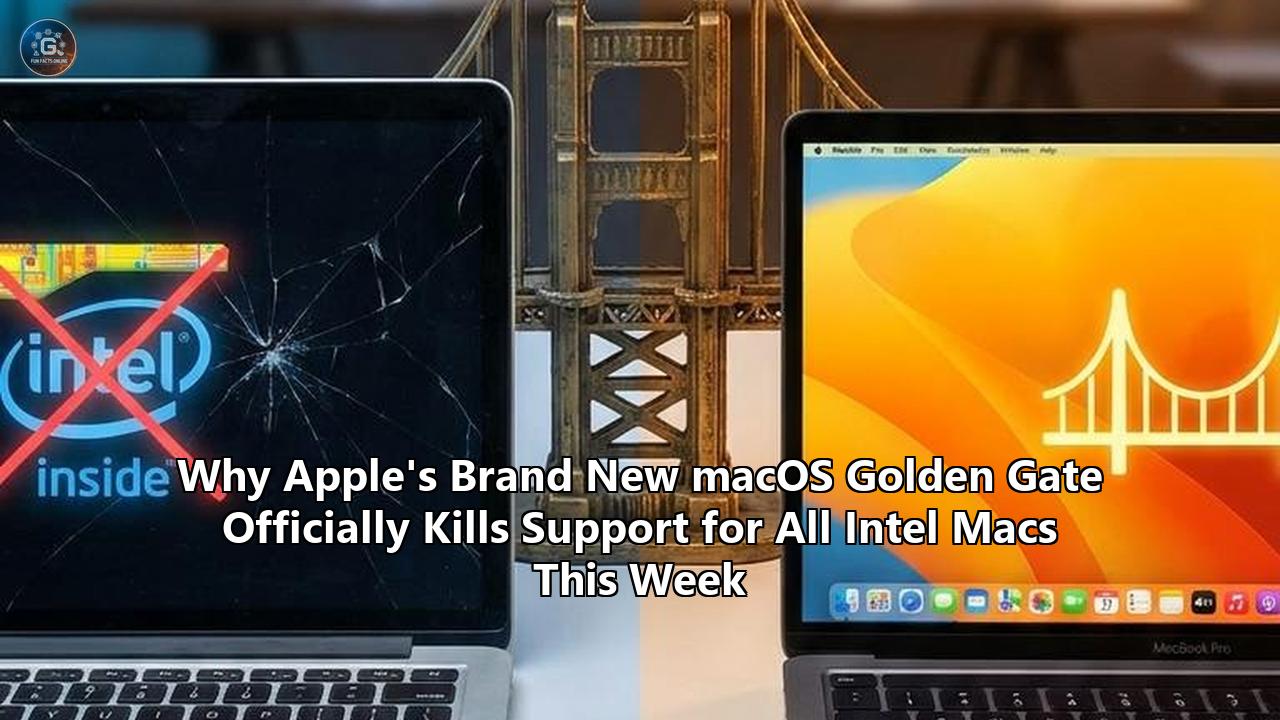
During the opening keynote of the 2026 Worldwide Developers Conference (WWDC) on June 8, 2026, Apple officially unveiled macOS 27 Golden Gate. While the presentation highlighted refinements to the user interface and the rollout of an advanced system-wide Siri AI powered by Apple Intelligence, the most significant announcement for the Mac ecosystem occurred under the hood: Apple has officially terminated all operating system support for Intel-based Macs.
With the release of the first developer beta of macOS Golden Gate this week, the transition that Apple initiated in November 2020 with the introduction of the M1 system-on-chip (SoC) is complete. macOS Tahoe, released in September 2025, remains the final operating system version compatible with x86-based Apple hardware. Any Mac containing an Intel Xeon, Core i9, i7, i5, or i3 processor is officially locked out of the macOS upgrade path.
This systematic exclusion marks a critical milestone for Apple's desktop platform. By compiling macOS Golden Gate exclusively for the ARM64 architecture, Apple's engineering team has severed ties with more than fifteen years of x86-64 legacy code. This shift carries immediate and profound consequences for hardware longevity, enterprise IT departments, software developers, and the structural design of macOS itself.
The Hardware Casualty List: The Stranded Intel Fleet
The release of macOS Golden Gate means that several high-end, highly capable machines are now permanently relegated to legacy status. Although Apple has compressed the support window for these devices far more aggressively than it did during the PowerPC-to-Intel transition in the mid-2000s, the raw horsepower of the final Intel machines makes their software retirement particularly striking.
The specific Intel-based models that are compatible with macOS Tahoe but are officially blocked from upgrading to macOS Golden Gate include:
- Mac Pro (2019): Equipped with Intel Xeon W (Cascade Lake) processors ranging from 8 to 28 cores, supporting up to 1.5 TB of DDR4 ECC RAM and multiple full-size AMD Radeon Pro graphics cards.
- iMac 27-inch (2020): Featuring 10th-generation Intel Core i5, i7, or i9 processors, up to 128 GB of RAM, and AMD Radeon Pro 5000 series dedicated graphics.
- MacBook Pro 16-inch (2019): Sporting 9th-generation Intel Core i7 or i9 processors, up to 64 GB of DDR4 memory, and AMD Radeon Pro 5000M graphics.
- MacBook Pro 13-inch (2020, Four Thunderbolt 3 Ports): Running on 10th-generation Intel Core i5 or i7 processors with Intel Iris Plus integrated graphics.
- Mac mini (2018/2020): Configured with 8th-generation Intel Core i3, i5, or i7 processors and Intel UHD Graphics 630.
The Pain of the High-End Professional
The abandonment of the 2019 Mac Pro is a highly controversial aspect of this transition. When configured to its maximum specifications, this computer cost upwards of $50,000. Because Apple continued to sell the Intel-based Mac Pro as a current, flagship workstation until the Apple Silicon-based Mac Pro with the M2 Ultra chip arrived in June 2023, some enterprise and high-end creative users own machines that are barely three years out of the retail box.
These workstation owners now find themselves running a deprecated operating system (macOS Tahoe) that will receive nothing but security patches going forward. The financial depreciation of these Intel-based workstations has accelerated dramatically, as their lack of compatibility with macOS Golden Gate severely limits their utility in production environments that require modern software pipelines.
Consumer Desktop and Laptop Obsolescence
Similarly, the 2020 27-inch iMac was a beloved machine for prosumers, photographers, and audio engineers due to its high-quality 5K Retina display and expandable RAM slots. Its exclusion from macOS Golden Gate means that a computer purchased in late 2020 or early 2021 has been restricted to just five years of major operating system updates.
The same applies to the 16-inch MacBook Pro from late 2019, which resolved the notorious butterfly keyboard issues but struggled with thermal throttling under heavy workloads. By drawing a strict line at Apple Silicon, Apple has made it clear that raw CPU performance is secondary to architecture. A base-model M1 MacBook Air from late 2020—costing a fraction of the price of a 2019 Mac Pro—will run macOS Golden Gate, while the multi-thousand-dollar Xeon workstation will not.
Rosetta 2's Final Runway and the Inevitable Sunset
The discontinuation of Intel Mac hardware support is only one half of Apple’s structural transition. The second, equally critical phase is the planned execution of Rosetta 2, the dynamic binary translator that allows Apple Silicon Macs to run x86-64 instructions.
Rosetta 2 Lifecycle Timeline:
[2020] M1 Release (Rosetta 2 Introduced)
  |
[2025] macOS Tahoe (Rosetta 2 Warnings Begin)
  |
[2026] macOS Golden Gate (First Apple Silicon-Only OS; Rosetta 2 Uninstalled by Default on Upgrade)
  |
[2027] macOS 28 (Rosetta 2 Deprecate / Fully Removed for General Apps)
During WWDC 2025, Apple confirmed that macOS Golden Gate would serve as the final release featuring full Rosetta 2 compatibility. The developer beta of Golden Gate released this week sets this deprecation plan into motion through several aggressive measures.
Automatic Uninstallation on Upgrade
When a user upgrades an Apple Silicon Mac from macOS Tahoe to macOS Golden Gate, the installer automatically uninstalls Rosetta 2 if it was previously present. For users who still rely on older, un-updated Intel applications, this means those apps will immediately fail to launch upon the first boot into Golden Gate.
While Apple permits users to manually reinstall Rosetta 2 within macOS Golden Gate through a terminal command or a system prompt, this uninstallation is designed as a psychological and practical warning. It forces developers and users to acknowledge that the translation layer is no longer a permanent fixture of the operating system.
The "Intel-Based Apps" Audit Tool
To prevent users from being blindsided by the total removal of Rosetta 2 in next year's macOS 28, Apple has introduced a new diagnostic tool directly within Golden Gate’s System Settings.
System Settings > General > About > [Intel-based Apps...]Clicking this button opens a dedicated interface that audits the local storage drive and displays a comprehensive list of all Intel-compiled applications that have been opened in the past year. Above the list, a warning reads:
"Intel-based apps running on Rosetta will not open in macOS 28. The following apps need to be updated for Apple silicon. An update may be available on the developer's website."
When hovering over any application in this audit list, the system provides two options: Show in Finder (to inspect the application bundle) or Move to Trash. This tool is designed to encourage users to systematically purge their drives of legacy x86-64 software before the hard cutoff arrives in the fall of 2027.
The Game Preservation Concession
Apple's developer documentation outlines one minor exception to the complete erasure of Rosetta 2 in macOS 28. While general-purpose translation for productivity, creative, and system-level applications will be permanently disabled, Apple plans to retain a heavily sandboxed, specialized subset of Rosetta technology specifically to support older, unmaintained gaming titles.
This concession is aimed at maintaining compatibility for titles on Steam or the Mac App Store that were never updated to native Apple Silicon. Because many independent game developers have moved on from older projects, a complete removal of translation capabilities would instantly break a significant percentage of the Mac's already fragile gaming catalog. However, this gaming-specific translation layer will not be accessible to standard desktop applications, meaning developers of commercial productivity software cannot rely on it as a crutch.
The Technical Payoff: Why Dropping Intel Unlocks macOS
Maintaining operating system compatibility across two vastly different CPU architectures is a monumentally difficult engineering feat. By declaring macOS Golden Gate an Apple Silicon-exclusive operating system, Apple’s engineers have discarded a massive accumulation of technical debt.
+--------------------------------------------------------+
|           macOS Architecture Comparison               |
+--------------------------------------------------------+
| macOS Tahoe (and earlier):                             |
| [ x86_64 Kernel & Libraries ]  [ ARM64 Kernel & Libs ] |
|            |                              |            |
|    (Intel Core/Xeon/AMD)           (Apple Silicon)     |
+--------------------------------------------------------+
| macOS Golden Gate (and later):                         |
|                                [ ARM64 Kernel & Libs ] |
|                                           |            |
|                                    (Apple Silicon)     |
+--------------------------------------------------------+
To understand why this change is occurring now, it is necessary to examine the physical and architectural differences between x86 and Apple's custom ARM-based chips. The technical benefits of a unified, silicon-specific code base are widespread, affecting everything from system performance to security and installation footprints.
Compilation and the End of Fat Binaries
For the past six years, Apple and third-party developers have relied heavily on "Universal 2" binaries—compiled packages that contain executable code for both x86_64 and ARM64 architectures. While this ensured seamless compatibility during the transition, it came at a high cost:
- Storage Bloat: Every system framework, dynamic library, and application binary had to be compiled twice and merged into a single file. This doubled the storage footprint of core operating system files.
- Memory Overhead: The macOS kernel had to maintain separate memory mapping, page table structures, and execution paths for both architectures.
- Complex Compiler Pipelines: Xcode had to manage dual compilation targets, which lengthened build times for developers and increased the likelihood of architecture-specific compiler bugs.
By restricting the macos golden gate intel support matrix entirely to Apple Silicon, Apple has deleted the x86-64 compile targets from the macOS codebase. The operating system installer is significantly smaller, core frameworks occupy less space on the APFS system volume, and the kernel no longer requires complex code paths to manage legacy Intel instruction sets.
Low-Level Framework Rewrites
According to deep-dive technical reports from compiler engineers, Apple has taken advantage of this clean break to rewrite several fundamental system frameworks from scratch.
- The Secure Enclave Processor (SEP) Interface: On Intel Macs, security tasks were split between the CPU and the T2 security chip, requiring a complicated bridge-communication protocol. On Apple Silicon, the SEP is integrated directly onto the SoC, sharing the same physical memory space. macOS Golden Gate completely rewrites the low-level security subsystem to target this integrated SEP directly, drastically reducing latency during cryptographic verification, FileVault operations, and biometric authentication via Touch ID.
- SwiftUI Performance Optimization: SwiftUI, Apple's modern declarative UI framework, has undergone a major performance overhaul in Golden Gate. Previously, SwiftUI had to maintain backward compatibility with old x86 graphics pipelines and standard memory models. Freed from these constraints, SwiftUI now compiles down to highly optimized ARM64 assembly instructions that leverage the specific cache line widths and out-of-order execution windows of Apple's Firestorm, Avalanche, and Sawtooth performance cores. Early benchmarks of SwiftUI-heavy apps in the Golden Gate developer beta show UI rendering and layout calculation speeds improving by up to 80%.
- Metal 4.1 Graphics API: The graphics stack in Golden Gate has been optimized to exclusively support Tile-Based Deferred Rendering (TBDR), the rendering pipeline utilized by Apple's custom GPUs. Intel-compatible versions of macOS had to support Immediate Mode Rendering (IMR), which is standard on AMD and Intel discrete/integrated GPUs. By dropping IMR support, Apple's graphics engineers have streamlined the Metal driver stack, eliminating thousands of legacy fallback paths and allowing game developers to target advanced hardware-accelerated ray tracing and mesh shading directly on Apple Silicon.
The Virtual Memory Unified Model
Under x86 architecture, memory is managed through rigid, standardized page sizes (typically 4KB). Apple Silicon, however, is heavily optimized for a 16KB memory page size. Managing an operating system that had to dynamically adjust its virtual memory manager based on whether it was booting on an Intel Xeon or an M-series chip introduced significant performance compromises.
In macOS Golden Gate, the virtual memory manager is permanently locked to 16KB pages. This allows for significantly more efficient memory mapping, reduces the overhead of translation lookaside buffer (TLB) misses, and accelerates file I/O operations across the high-speed unified memory bus.
Siri AI and Apple Intelligence: The Architectural Barrier
The most prominent consumer-facing feature of macOS Golden Gate is the introduction of Siri AI, a complete reconstruction of Apple’s virtual assistant powered directly by the on-device Apple Intelligence platform.
The integration of Siri AI is not merely a marketing pivot; it represents a fundamental change in how software interacts with hardware. The compute resources required to run these highly integrated artificial intelligence models are physically incompatible with Intel's legacy architecture.
┌─────────────────────────────────────────────────────────┐
│              Siri AI Execution Flow                    │
└─────────────────────────────────────────────────────────┘
                            │
                            ▼
              [ User Input via Spotlight ]
                            │
                            ▼
              [ Orchestration Engine ]
                            │
                            ▼
      Does prompt require on-device Apple Intelligence?
            ├─── Yes ──► [ Apple Neural Engine (NPU) ]
            │                  │
            │                  ▼
            │            [ Dynamic Loading of ]
            │            [ 20B Parameter Subsets ]
            │                  │
            │                  ▼
            │            [ Local RAM (12GB+ Required) ]
            └─── No ───► [ Cloud / Web Search ]
The Necessity of the Neural Engine (NPU)
At the heart of Siri AI and Apple Intelligence is the physical Neural Engine. Apple Silicon chips feature a dedicated hardware matrix-multiplication accelerator (the NPU) designed specifically to handle the mathematical calculations required by deep neural networks at high speed and low thermal cost.
Intel processors, even the massive 28-core Xeon chips found in the top-tier 2019 Mac Pro, do not possess an NPU. To run an on-device Large Language Model (LLM) on an Intel chip, the operating system would have to execute those matrix operations on the standard CPU vector engines (AVX-512) or offload them to the discrete AMD GPU.
This implementation is highly inefficient:
- Latency: Running LLM inference on standard CPU cores results in extremely slow token generation rates, rendering real-time conversational AI unusable.
- Power and Thermals: AVX-512 vector instructions draw massive amounts of power, causing laptops like the 16-inch Intel MacBook Pro to instantly thermal throttle, spin up their fans to maximum speed, and rapidly drain their batteries.
- GPU Bottlenecks: Offloading to an AMD discrete GPU requires transferring massive model weights across the bottlenecked PCIe bus, whereas Apple Silicon utilizes a unified memory architecture where the CPU, GPU, and NPU share a single pool of high-speed memory.
On-Device Memory Constraints and Dynamic Model Loading
Siri AI relies on a highly sophisticated 20-billion parameter foundation model. Loading a model of this size entirely into system memory would consume roughly 10 GB to 15 GB of RAM just for model weights, leaving very little memory for standard user applications.
To solve this, Apple engineered a dynamic parameter loading system in macOS Golden Gate. When a user queries Siri AI, the operating system determines exactly which subset of parameters is required to fulfill the specific prompt. It then loads only those parameters into memory on the fly, discarding them once the task is complete.
This dynamic loading requires astronomical memory bandwidth:
| Chip Generation | Architecture Type | Peak Memory Bandwidth | On-Device Siri AI Support |
|---|---|---|---|
| Intel Xeon (2019 Mac Pro) | Hexa-channel DDR4 | ~140 GB/s | No |
| Intel Core i9 (2020 iMac) | Dual-channel DDR4 | ~41.6 GB/s | No |
| Apple M1 (2020) | Unified LPDDR4X | ~68.2 GB/s | Basic Compatibility |
| Apple M3 (2023) | Unified LPDDR5 | ~100 to 150 GB/s | Full Local Support (with 12GB+ RAM) |
| Apple M5 Max (2026) | Unified LPDDR5X | Up to 800 GB/s | Full Accelerated Support |
Because Intel systems route memory requests through traditional external memory controllers and PCIe busses, they lack the low-latency unified pathways required to load and execute these model parameters in fractions of a second.
Furthermore, Apple has explicitly limited the most advanced on-device Siri AI features to Macs containing an M3, M4, or M5 chip with a minimum of 12 GB of unified memory. If older Apple Silicon Macs (like the 8GB M1 MacBook Air) are restricted due to memory bottlenecks, supporting an Intel platform with traditional, non-unified system memory was an engineering impossibility.
Enterprise and Fleet Management Consequences
For corporate IT departments, system integrators, and educational institutions, the release of macOS Golden Gate is not an exciting software update—it is an immediate infrastructure planning deadline.
Enterprise Fleet Audit Strategy:
[Identify Intel Macs] ──► [Map to User Roles] ──► [Transition to Apple Silicon]
          │                                                    │
          ▼                                                    ▼
   Keep on macOS Tahoe                                   Deploy M-Series Macs
   (Receive Security Patches                           (Full macOS Golden Gate Features &
    until September 2029)                               Siri AI Capabilities)
Many organizations operate under strict 5-to-7-year hardware refresh cycles. Organizations that purchased large quantities of 2019 Mac Pros, 2020 27-inch iMacs, or 2020 Intel MacBook Pros are now managing fleets of devices that cannot run the current version of macOS.
Fleet Audits and Lifespan Realities
IT administrators must immediately begin auditing their active hardware inventories. Any machine lacking an Apple M-series chip is now locked into a software cul-de-sac.
While these Intel machines will continue to operate normally on macOS Tahoe, their exclusion from macOS Golden Gate means they cannot run any software that relies on the macOS 27 SDK. As major software vendors (such as Adobe, Microsoft, Autodesk, and Salesforce) update their suites to utilize Golden Gate's native AI features, collaborative workspaces, and API refinements, users stuck on Intel Macs will find themselves running older, feature-capped versions of productivity software.
This division creates an operational discrepancy within teams, where M-series users have access to advanced collaborative features, system-wide AI tools, and UI refinements, while Intel-based users are restricted to legacy interfaces.
MDM Profiles and Security Policies
Mobile Device Management (MDM) platforms must be updated to handle the distinct requirements of macOS Golden Gate. IT managers must configure their deployment rules to block Golden Gate upgrade notifications from being delivered to Intel machines. Attempting to push a macOS Golden Gate installer package to an Intel Mac will fail, but a lack of proper MDM filtering can lead to user confusion and unnecessary help desk tickets.
Furthermore, Golden Gate introduces new MDM configuration keys governing:
- Siri AI Personal Context Access: Administrators can restrict Siri AI's ability to index corporate emails, local document directories, and internal messages to prevent sensitive data exposure.
- Rosetta 2 Deployment Restrictions: Enterprises that rely on custom, in-house x86-64 legacy applications must configure their MDM profiles to automatically reinstall Rosetta 2 upon upgrading Apple Silicon Macs to Golden Gate, bypassing the default automatic uninstallation.
The Security Transition Window (The 2029 Horizon)
The silver lining for enterprise fleet managers is that Apple has committed to an extended security support window for Intel hardware.
Historically, Apple has provided active security updates for the current operating system and the two preceding versions (a "n-2" support policy). However, during the WWDC 2026 briefings, Apple confirmed that it would officially provide software security updates for Intel-based Mac computers running macOS Tahoe for three years following the release of macOS Golden Gate.
Because macOS Tahoe was released in September 2025, and macOS Golden Gate is scheduled for public release in September 2026, Intel Macs will receive critical security patches and Safari updates until September 2029. This provides enterprise planners with a clear timeline:
- 2026–2027: Formulate budget allocations for hardware replacement.
- 2027–2028: Transition standard office users from Intel to base-model Apple Silicon (e.g., MacBook Air or Mac mini).
- 2028–2029: Decommission high-end Intel workstations (2019 Mac Pro, 2020 iMac) and migrate professional users to Apple Silicon workstations (Mac Studio, Mac Pro).
- September 2029: Complete decommissioning. Any Intel Mac remaining in service after this date will be highly vulnerable to unpatched security exploits.
Developer Directives: Native Compilation is Mandatory
For third-party software developers, the message from WWDC 2026 is clear: the era of lazy translation is over. If you have not compiled your application natively for Apple Silicon, your software is on life support.
The End of Xcode's Universal 2 Default
For several years, Apple's integrated development environment, Xcode, has compiled apps as Universal 2 binaries by default. Starting with Xcode 27, released alongside the macOS Golden Gate developer SDK, Apple is modifying this compiler pipeline.
While developers can still manually opt to build dual-architecture binaries, Xcode 27 actively encourages compiling exclusively for the arm64 architecture. The Mac App Store submission guidelines have been updated: developers are no longer required to submit x86_64 slices for new application submittals. This change reduces the size of App Store downloads and simplifies the review process.
Addressing the Dynamic Library and Plugin Ecosystem
The deprecation of Rosetta 2 in Golden Gate and its complete removal in macOS 28 poses a severe threat to professional audio, video, and 3D graphics plugins.
In the creative industries, professional workflows rely heavily on third-party effects, instruments, and rendering engines (such as Audio Units, VSTs, and Adobe Premiere plugins). Many of these plugins were developed by small companies or independent developers who have since gone out of business, leaving the plugins unmaintained.
Under previous macOS versions, a native Apple Silicon host application (like Logic Pro or Adobe After Effects) could load an Intel-only plugin by running a separate, translated helper process via Rosetta 2.
With macOS Golden Gate's aggressive stance on Rosetta 2, this workflow is highly unstable:
- Because Golden Gate automatically uninstalls Rosetta 2 upon installation, any user running native host applications with legacy Intel plugins will find that their plugins fail to load.
- Even if the user manually reinstalls Rosetta 2, the host application will generate constant, intrusive system warnings notifying the user that these plugins are running on a deprecated framework and will cease to function entirely when macOS 28 is released in 2027.
Developers of host applications must spend the next year building robust error-handling pipelines that can gracefully notify users of incompatible x86 plugins, rather than allowing the application to crash silently when the translation layer is absent.
The Long-Term Roadmap (2026–2029) and the End of the Intel Era
The launch of macOS Golden Gate developer beta 1 this week represents the beginning of the final chapter for the x86 architecture inside Apple’s ecosystem.
┌─────────────────────────────────────────────────────────────┐
│                 Intel Mac Sunset Timeline                   │
├───────────────┬─────────────────────────────────────────────┤
│ Date          │ Event                                       │
├───────────────┼─────────────────────────────────────────────┤
│ June 2026     │ macOS Golden Gate Developer Beta Announced  │
│               │ (Official end of Intel hardware support)   │
├───────────────┼─────────────────────────────────────────────┤
│ Sept 2026     │ macOS Golden Gate Public Release            │
│               │ (Rosetta 2 uninstalled by default)          │
├───────────────┼─────────────────────────────────────────────┤
│ Sept 2027     │ macOS 28 Public Release                     │
│               │ (Rosetta 2 fully removed for general apps)  │
├───────────────┼─────────────────────────────────────────────┤
│ Sept 2029     │ End of macOS Tahoe Security Updates         │
│               │ (Final death of all Intel Mac support)      │
└───────────────┴─────────────────────────────────────────────┘
The transition away from Intel was never just about hardware efficiency or battery life; it was a bid for total architectural independence. By designing its own silicon, Apple successfully aligned its hardware design cycles, graphics pipelines, security models, and artificial intelligence development under a single, unified architecture.
The Legacy of the Intel Transition
Looking back, Apple’s partnership with Intel—which began in 2005 when Steve Jobs announced the departure from the PowerPC architecture—was wildly successful. It allowed the Mac to achieve parity with the Windows PC market, introduced the ability to dual-boot Windows natively via Boot Camp, and powered the Mac through its most profitable era of growth.
However, by the late 2010s, Intel's manufacturing delays, high thermal outputs, and stagnant generational performance gains were actively holding back Apple's vision for the Mac. The transition to Apple Silicon has vindicated Apple's decision. The performance-per-watt metrics, unified memory bandwidth, and integrated Neural Engines of the M-series chips have turned the Mac into a modern computing powerhouse that operates independently of third-party processor schedules.
What to Watch For Next
As macOS Golden Gate moves through its beta testing cycle this summer toward a public launch in autumn 2026, the technology community will be closely watching several key milestones:
- The Public Beta (July 2026): This will be the first opportunity for non-developer consumers to experience Golden Gate’s refined Liquid Glass interface and Siri AI capabilities. It will also likely trigger a wave of support inquiries as users discover which of their older applications require Rosetta 2 or native updates.
- The Third-Party Developer Response: Major software vendors will face pressure to issue native Apple Silicon updates for any remaining Intel-only components in their software suites before the macOS 28 Rosetta cutoff.
- The Secondary Market Crash: The resale value of the 2019 Mac Pro, 2020 iMac, and Intel-based MacBook Pros is expected to drop sharply. Users looking to buy used Macs will need to exercise extreme caution to avoid purchasing hardware that is locked out of modern operating system releases.
- The 2027 Silicon State: When macOS 28 is unveiled at WWDC 2027, the absolute removal of Rosetta 2 will mark the absolute death of the x86 instruction set on modern Apple computers, completing the transition to a purely custom-designed ARM64 computing platform.
The macos golden gate intel support cutoff is a clear, unsentimental statement of intent. Apple does not look backward. By closing the book on Intel, Apple has cleared the path for a future where the Mac is defined entirely by its own custom silicon, its own local neural architectures, and its own unified ecosystem. For users still clinging to their Intel machines, the clock has officially run out—it is time to upgrade, or be left behind in the pre-AI era of computing.
Reference:
- https://www.news9live.com/technology/tech-news/wwdc-2026-apple-unveils-macos-27-golden-gate-with-new-siri-ai-features-and-intel-mac-support-ends-2978432
- https://en.wikipedia.org/wiki/MacOS_Golden_Gate
- https://drlogic.com/article/wwdc-2026-golden-gate-and-the-end-of-intel/
- https://lewislovelock.com/blog/macos-27-drops-intel-macs
- https://setapp.com/how-to/full-list-of-all-macos-versions
- https://www.cnet.com/tech/computing/macos-27-golden-gate/
- https://www.techradar.com/computing/mac-os/macos-27-golden-gate-announced-at-wwdc-2026-heres-everything-you-need-to-know
- https://www.macrumors.com/2026/06/10/macos-golden-gate-last-to-support-intel-apps/
- https://www.cnet.com/tech/computing/macos-27-golden-gate-all-the-macs-compatible-with-the-new-os/
- https://eclecticlight.co/2026/06/10/crossing-the-golden-gate-intel-support-and-an-update-to-systhist/
- https://appleinsider.com/articles/26/06/08/macos-27-golden-gate-delivers-more-liquid-glass-and-updated-siri
- https://appleinsider.com/articles/26/06/12/how-and-when-macos-will-finally-stop-support-for-intel-apps
- https://www.macworld.com/article/3162408/macos-27-warning-your-intel-apps-are-nearly-dead.html
- https://www.macworld.com/article/3139330/macos-27-mac-features-siri-apple-intelligence-release-date-compatibility.html
- https://www.youtube.com/watch?v=UgWiQFMP1ZY
- https://en.wikipedia.org/wiki/MacOS_Golden_Gate
- https://developer.apple.com/documentation/macos-release-notes/macos-27-release-notes
- https://www.macrumors.com/2026/06/12/macos-golden-gate-rosetta-support/