A quiet crisis is unfolding at the intersection of enterprise security and employee behavior. For years, cybersecurity departments have operated under a foundational security doctrine: if you deploy multi-factor authentication (MFA), you block 99% of automated account compromise attacks. However, a major structural vulnerability in how modern authentication protocols interact with everyday mobile devices has turned that assumption upside down.
In early 2026, the FBI’s Cyber Division issued a flash alert warning that advanced persistent threat (APT) groups, including the North Korean-affiliated Kimsuky, were actively targeting government entities, academic institutions, and think tanks using highly sophisticated, multi-stage campaigns. These attacks did not bypass MFA through complex cryptographic exploits; instead, they neutralized it entirely by chaining together visual lures with real-time session proxying.
Shortly after, in June 2026, security researchers at Huntress published a landmark investigation into a new Phishing-as-a-Service (PhaaS) platform named EvilTokens. The findings were staggering: the platform had fueled a 1,380% explosion in device code and token theft attacks within a four-month window.
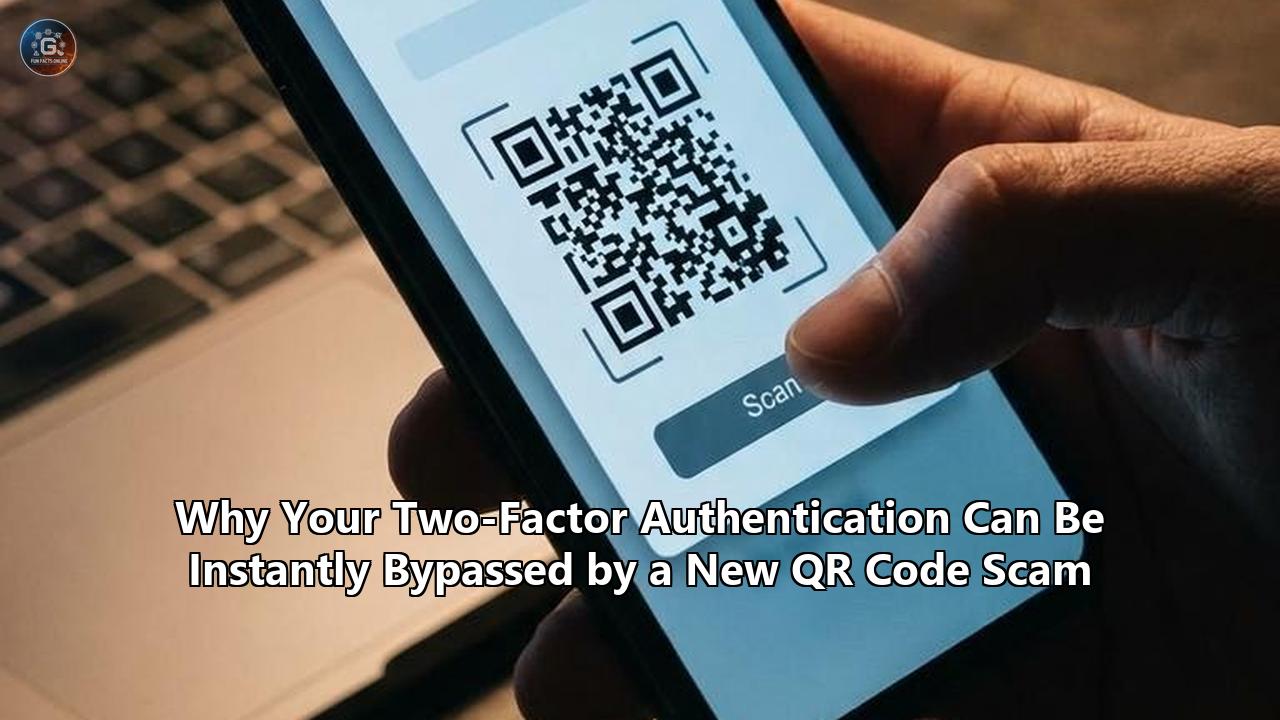
These campaigns do not rely on fake login forms designed to harvest passwords. Instead, they exploit the precise moment when a user crosses the bridge from their corporate desktop to their personal smartphone using a QR code. By understanding the technical mechanics of this attack vector, security professionals are discovering that even the latest defense protocols—including Google's newly deployed Device Bound Session Credentials (DBSC) and cryptographic passkeys—can be completely circumvented.
The Strategic Anatomy of the "Off-Network" Pivot
To understand why this vector is so lethal, we have to look at the physical and digital architecture of the modern workspace. Most enterprises protect their endpoints with a dense stack of defensive software: Secure Email Gateways (SEGs) scan incoming messages; Endpoint Detection and Response (EDR) agents monitor browser processes; and Secure Web Gateways (SWGs) block access to suspicious or newly registered domains.
A qr code phishing scam (frequently referred to in threat intelligence circles as "quishing") acts as a structural bypass of this entire security stack. It achieves this through a physical context switch, moving the attack from a highly monitored corporate environment to an unmanaged personal device.
+-------------------------------------------------------------------------+
|                          CORPORATE DESKTOP                              |
|                                                                         |
|  [Email Client]                                                         |
|         |                                                               |
|         v                                                               |
|  [Malicious Email] ---> Contains QR Code Image (No text URLs)           |
|                                                                         |
|  (Secure Email Gateway parses text, detects nothing, delivers mail)    |
+-------------------------------------------------------------------------+
                                  |
                           (Physical Scan)
                                  v
+-------------------------------------------------------------------------+
|                          PERSONAL SMARTPHONE                            |
|                                                                         |
|  [Camera Scan] ---> Decodes QR ---> Opens Mobile Browser                 |
|                                                                         |
|  (Bypasses Corporate EDR, DNS Filtering, and Local Firewall Rules)       |
+-------------------------------------------------------------------------+
1. The Secure Email Gateway Blind Spot
Legacy SEGs are fundamentally text-parsing engines. They inspect email headers, analyze the HTML DOM for suspicious links, and query domain reputation databases. When an attacker sends a qr code phishing scam, the email payload contains no interactive links or malicious attachments. It contains an image—often embedded within a benign PDF, a Word document, or a direct inline BMP attachment.
To the gateway, the email appears as a standard corporate workflow, such as an annual benefits update, an MFA synchronization request, or a document requiring a signature. Because parsing images at scale via Optical Character Recognition (OCR) is computationally expensive and introduces significant email delivery latency, many gateways pass these images without deep structural analysis.
2. The Device Boundary Jump
When the victim opens the email on their corporate desktop, they are presented with a visual instruction: "Scan this QR code with your mobile device to complete your security verification".
The moment the victim pulls out their personal smartphone and scans the code, they break the corporate security perimeter. The smartphone’s camera decodes the matrix into a URL and launches a mobile web browser. This mobile device is typically connected to a cellular carrier’s 5G network or a home Wi-Fi connection, completely bypassing:
- The corporate firewall.
- Local DNS-layer protections (such as Cisco Umbrella or Cloudflare Gateway).
- SSL/TLS decryption proxies.
- Endpoint security agents (like CrowdStrike or Microsoft Defender for Endpoint) running on the desktop.
The attacker has successfully isolated the victim on an unmanaged, unmonitored device while maintaining the psychological context of a legitimate corporate action.
Engine of the Bypass: Adversary-in-the-Middle (AiTM) Reverse Proxies
The target of a modern qr code phishing scam is almost never a raw password. In an era where most organizations enforce some form of multi-factor authentication, possessing a password alone is useless to an attacker. Instead, these campaigns are chained directly to Adversary-in-the-Middle (AiTM) platforms.
Unlike old-school phishing kits that served static, cloned copies of login pages, an AiTM kit functions as an intelligent, real-time reverse proxy. It sits silently between the victim's mobile browser and the legitimate identity provider (IdP), such as Microsoft Entra ID, Okta, or Google Workspace.
The Step-by-Step Proxy Flow
- The Initial Proxy Request: When the victim scans the QR code, the mobile browser connects to an attacker-controlled proxy domain (e.g., login.microsoft-security-update.com).
- Real-Time Page Fetching: The proxy server immediately forwards this request to the actual, legitimate IdP (login.microsoftonline.com). The IdP responds by sending the genuine login page back to the proxy.
- Header and Content Manipulation: The proxy server intercepts the genuine login page, strips away security headers—such as Content Security Policy (CSP) headers that would prevent cross-domain script execution—and alters the links before serving the page to the victim's mobile browser.
- Credential Harvesting: The victim sees a pixel-perfect, fully functional login screen. They enter their corporate email and password. The mobile browser sends these credentials to the proxy server, which logs them and forwards them instantly to the real IdP.
- The MFA Challenge: The real IdP receives the credentials, validates them, and issues the configured MFA challenge (a push notification, an SMS code, or a Time-Based One-Time Password [TOTP] prompt from an authenticator app).
- The Dynamic Relay: The proxy forwards this exact MFA challenge to the victim's phone. The victim receives their push notification or opens their authenticator app, enters the code, and submits it.
- The Session Capture: The proxy relays the valid MFA response to the real IdP. The IdP validates the MFA challenge, authenticates the session, and generates the session cookies (such as Microsoft's ESTSAUTH cookie) along with OAuth access and refresh tokens. It sends these tokens back to the client.
- The Theft: The proxy server intercepts the incoming session cookies and tokens, saving them to an attacker-accessible database. It then issues a redirect to the victim’s browser, sending them to a benign page (like the company’s actual home page) so they assume the login completed normally.
[Victim Browser]               [Attacker Proxy]               [Genuine IdP]
       |                              |                             |
       |----- (1) Scan QR Code ------>|                             |
       |                              |----- (2) Fetch Login Pg --->|
       |                              |<---- (3) Return Page -------|
       |<---- (4) Serve Page ---------|                             |
       |                              |                             |
       |----- (5) Enter Password ---->|                             |
       |                              |----- (6) Relay Password --->|
       |                              |<---- (7) Issue MFA Chal ----|
       |<---- (8) Relay MFA ----------|                             |
       |                              |                             |
       |----- (9) Enter OTP / Push -->|                             |
       |                              |----- (10) Relay OTP ------->|
       |                              |<---- (11) Send Session -----|
       |                              |           Cookie / Token    |
       |                              |                             |
       |                              |*STOLEN*                     |
       |<---- (12) Redirect User -----|                             |
The attacker does not need to crack a cryptographic key or guess an authenticator code. They have simply positioned themselves in the middle of a legitimate transaction, allowing the user to complete the authentication on their behalf. Once the attacker imports that stolen session cookie into their own browser, they inherit the fully authenticated state of the user, bypassing the password and MFA requirements entirely.
The Headless Device Code Phishing Threat (RFC 8628)
While AiTM reverse proxying is highly effective, it has a significant operational footprint: the attacker must register and maintain proxy domains, which are eventually analyzed and blocked by security researchers. To avoid this infrastructure overhead, cybercriminals have increasingly turned to an even more devastating protocol exploit: Device Code Phishing.
This attack class, heavily weaponized by the EvilTokens platform in 2026, exploits a legitimate authentication standard known as the OAuth 2.0 Device Authorization Grant (RFC 8628).
The Legitimate Purpose of RFC 8628
The Device Authorization Grant was designed for input-constrained devices that lack physical keyboards or browsers, such as smart TVs, video game consoles, command-line interfaces (CLIs), and printers.
When you log into a streaming service on your smart TV, the TV generates a unique, short-lived code (e.g., B7X-9RD) and displays an instruction: "Go to service.com/activate on your phone or computer and enter this code." You navigate to the legitimate URL on your phone, complete your login (including MFA), enter the code, and the smart TV is instantly authenticated into your account.
The Phishing Modification
In a device code qr code phishing scam, the attacker acts as the "smart TV," and the victim's smartphone serves as the activating browser.
Historically, this required a high degree of social engineering: the attacker had to send the victim a link, display a code, and convince the victim to manually type that code into Microsoft's legitimate activation portal (microsoft.com/devicelogin). This introduced friction, as many users became suspicious when asked to enter a random string of letters.
In 2025 and 2026, PhaaS platforms solved this friction by automating the input layer using headless browser arrays. The modernized, automated attack chain unfolds with terrifying efficiency:
[Attacker Server]               [Victim Browser]               [Genuine IdP]
       |                                |                             |
       |-- (1) Start Device Flow ------>|                             | (Requests Code for Attacker)
       |<-- (2) Returns User Code ------|                             | (e.g., "GHR-98T")
       |                                |                             |
       |==== (3) Generates Phishing QR containing Automated Link =====|
       |                                |                             |
       |                                |--- (4) Victim Scans QR ---->| (Opens Headless Session)
       |                                |                             |
       |                                |<-- (5) Auto-enters Code --->| (Headless browser inputs
       |                                |                              "GHR-98T" on behalf of user)
       |                                |                             |
       |                                |<-- (6) Prompts User Login ->| (Victim is on GENUINE
       |                                |                              IdP domain!)
       |                                |                             |
       |                                |--- (7) Performs MFA ------->| (User completes MFA)
       |                                |                             |
       |<======================= (8) Issues Access Token =============| (IdP delivers token directly
to Attacker's Device)- The API Trigger: The moment a victim scans the QR code, the attacker's server automatically queries the IdP's token endpoint (e.g., login.microsoftonline.com/oauth2/v2.0/devicecode), requesting a new device authorization sequence. The IdP returns a unique user_code and a verification URL.
- The Headless Handshake: Instead of displaying this raw code to the victim, the attacker’s platform spins up an automated, headless browser instance in the background. This headless instance navigates to the official IdP login page and programmatically inputs the stolen user_code.
- The Seamless Redirect: The attacker's server then redirects the victim's mobile browser to the genuine, official authentication URL provided by the IdP (such as login.microsoftonline.com/common/oauth2/deviceauth).
- Authenticating on Legitimate Soil: The victim's phone browser loads the real Microsoft or Google login portal. There are no misspelled domains, no self-signed certificates, and no security warnings. The browser’s password manager may even autofill their credentials because they are on the actual, legitimate domain.
- The Passive Hijack: The victim enters their password and satisfies their MFA challenge on the legitimate domain. Because the headless browser had already bound this specific authentication session to the attacker's original user_code, the moment the victim completes the sign-in, the IdP’s token service authorizes the attacker's device.
- Token Issuance: The attacker’s polling script (which has been continuously querying /oauth2/v2.0/token in the background) receives a highly scoped OAuth JSON response containing a valid access_token and a long-lived refresh_token.
The user has not entered a single credential on a fake website. They have done exactly what they were trained to do: log in on the official enterprise portal and complete their MFA challenge. Yet, because they approved a session tied to an attacker-initiated device flow, they have handed full account access to a criminal server.
Why Google’s DBSC and FIDO2 Passkeys Fail
To counter the rising wave of session hijacking and cookie theft, the technology sector has introduced several advanced security frameworks. Two primary pillars of modern defense are Device Bound Session Credentials (DBSC) and FIDO2 / WebAuthn Passkeys.
While these systems are highly effective at stopping legacy phishing attacks, they contain critical architectural limitations when confronted with a sophisticated qr code phishing scam.
1. The DBSC Blind Spot: Chrome 146
In April 2026, Google announced the general availability of DBSC in Chrome 146 for Windows, with macOS support rolling out immediately after.
DBSC is designed to stop infostealer malware from harvesting browser cookies. It works by binding an active session cookie to a unique, non-exportable public/private key pair generated inside the device’s hardware security module—such as the Trusted Platform Module (TPM 2.0) on Windows or the Secure Enclave on Mac.
Normal DBSC Protection:
[Chrome Browser + TPM] <====== Cryptographic Binding ======> [IdP Server]
 (Stolen session cookies cannot be run on another device without the TPM key)

The QR Code Bypass:
[Corp Desktop (TPM)] ---- (User scans QR) ----> [Mobile Phone (No corporate DBSC)]
                                                       |
                                            (Completes Phishing Flow)
                                                       |
                                                       v
                                            [Attacker Server (Receives Token)]
When DBSC is active, the browser must periodically sign a cryptographic challenge from the server using its hardware-bound private key to prove that the session is still running on the original device. If an attacker steals the session cookie via malware and attempts to load it on a different machine, the server's challenge fails, and the cookie is rendered useless.
However, DBSC fails against QR-code-delivered device flow attacks for a simple reason: the attacker never steals the victim's local browser cookie.
In a device code phishing attack, the token is not issued to the victim's browser and then exfiltrated. Instead, the token is issued directly to the attacker’s polling server by the IdP. If the attacker’s polling server supports DBSC, the session is cryptographically bound to the attacker's hardware. The victim’s desktop TPM was never part of the authentication chain to begin with. DBSC on the corporate desktop sits completely silent, unaware that an entirely separate device has been authorized to access the account.
2. The Passkey / FIDO2 Limitation
FIDO2 and WebAuthn-compliant passkeys are widely heralded as the gold standard of "phishing-resistant" authentication. They use public-key cryptography and rely on a browser security property known as Origin Binding.
During a standard passkey login, the browser checks the exact domain name in the address bar (e.g., login.microsoftonline.com). It passes this domain origin to the local authenticator chip, which will only sign the login challenge if the domain matches the origin stored during credential registration. If an attacker lures a user to a lookalike domain like login.micros0ft.com, the browser detects the mismatch, the authenticator refuses to sign, and the phishing attempt is blocked.
Against an AiTM proxy, FIDO2 is completely secure. If a victim scans a QR code that opens an AiTM proxy domain (login.microsoft-security-update.com), the mobile browser checks the domain origin. Because login.microsoft-security-update.com does not match the registered domain login.microsoftonline.com, the hardware key refuses to sign the challenge. The proxy receives nothing, and the attack fails.
But when a qr code phishing scam is combined with Device Code Phishing, this FIDO2 defense is bypassed.
Because the automated device code flow redirects the victim's mobile browser directly to the genuine microsoft.com/devicelogin or login.microsoftonline.com portal, the browser looks at the address bar and finds the official, legitimate domain.
[Mobile Browser] ---> Reads Address Bar ---> Sees "login.microsoftonline.com" (Valid!)
       |
       v
[Passkey Request] ---> Verifies Domain ---> Matches Registration Store (Valid!)
       |
       v
[Hardware Chip] ---> Generates Signature ---> Signs Challenge for Real Microsoft Domain
       |
       v
[IdP Server] ---> Validates Signature ---> Grants OAuth Token to Attacker's Device Code
The authenticator happily signs the challenge because it is communicating with the correct, legitimate servers. FIDO2's origin-binding logic is satisfied. The cryptographic handshake succeeds, the user completes their passkey verification, and the IdP authorizes the attacker's device session.
This is the central paradox of modern identity security: the stronger the authentication method, the more securely it validates the attacker's delegated session.
Technical Deep Dive: The Chasm Between MFA Methods
To help security architects evaluate their current posture, the following table breaks down the technical resilience of various MFA methods when targeted by modern QR-code-delivered campaigns:
| Authentication Method | Resilient to AiTM Proxying? (e.g., Evilginx) | Resilient to Device Code Phishing? (e.g., EvilTokens) | Failure Mode Analysis |
|---|---|---|---|
| SMS / Voice OTP | No | No | The proxy intercepts the OTP text field in real-time. For device code flows, the user manually types the OTP into a genuine portal, authorizing the attacker's CLI. |
| Authenticator App (TOTP) | No | No | The six-digit rotating code is easily harvested by a reverse proxy before its 30-second expiration window closes. |
| MFA Push Notifications | No | No | Subject to "MFA Fatigue" or real-time proxy approval. In device code flows, the user approves a legitimate push notification triggered by their own login action. |
| FIDO2 / WebAuthn (Passkeys) | Yes | No | Resilient to AiTM: Origin binding fails on the proxy domain. Vulnerable to Device Code: The user authenticates on the legitimate IdP domain, satisfying origin binding but authorizing the attacker's code. |
| FIDO2 + Conditional Access Policies | Yes | Yes | The only resilient combination. While the passkey validates the identity, policy-level rules block the underlying Device Code flow protocol entirely. |
Technical Mitigation: Hardening the Enterprise Identity Boundary
Because the vulnerability lies in the architecture of the delegation protocols themselves rather than human error, trying to train employees to spot "suspicious" QR codes is an incomplete solution. Organizations must implement systemic, protocol-level controls to neutralize this threat vector.
1. Disable or Restrict OAuth Device Code Flow (RFC 8628)
For most enterprises, the easiest and most effective way to eliminate device code phishing is to disable the protocol entirely for standard users.
Unless your organization actively manages smart conference room TVs, headless CLI deployments, or legacy printers that require Entra ID authentication, there is no business reason for standard workers to access this flow.
In Microsoft Entra ID (Azure AD):
You can block or restrict this authentication flow by configuring Conditional Access Policies:
- Navigate to the Microsoft Entra Admin Center.
- Go to Protection > Conditional Access.
- Create a new policy targeting All Users (excluding a designated break-glass admin account).
- Under Target resources, select All cloud apps.
- Under Conditions > Client apps, configure the policy to target only specific, approved platforms, or create a policy that explicitly blocks the Device Code Flow transfer method.
- Set the access control to Block access.
Conditional Access Rule Configuration:
IF User = Standard_Employee
AND Protocol = Device_Code_Flow
THEN Action = BLOCK
If certain developers or service accounts require device code authentication for CLI tools (like Azure CLI), isolate those identities into a highly monitored group, enforce strict geographic constraints, and require compliance-managed devices for authorization.
2. Implement Network-Based Ingress Filtering
Modern PhaaS platforms like EvilTokens heavily utilize low-cost, cloud-hosted infrastructure to run their reverse proxies and automated headless browsers.
During the 2026 campaigns, security researchers noted that a vast majority of successful compromises originated from cloud hosting provider IP spaces, such as Railway, AWS, and DigitalOcean, rather than residential ISPs or enterprise egress points.
- Configure Conditional Access Location Policies: Block authentication attempts originating from known Virtual Private Server (VPS) networks, hosting providers, or Tor exit nodes.
- Enforce Managed Device Compliance: Require that any successful session token issuance be bound to a compliant, corporate-managed device (via Microsoft Intune, Mobile Device Management, or Jamf). This ensures that even if an attacker obtains a device code or attempts to proxy a session, the IdP will refuse to issue the token because the requesting device cannot present a valid corporate management certificate.
3. Deploy Gateways with Advanced Image Parsing (OCR)
Since legacy SEGs cannot inspect the payload of a visual QR code, security teams should upgrade to modern, API-based Integrated Cloud Email Security (ICES) platforms.
These tools do not rely solely on text-based parsing. Instead, they run real-time computer vision models on all incoming image files, PDF attachments, and inline graphics.
- URL Extraction: The ICES engine programmatically extracts and decodes the embedded URL from any detected QR code.
- Sandbox Inspection: The extracted URL is launched in an isolated cloud sandbox. The platform analyzes the destination page's DOM structure, SSL certificates, and behavior. If it detects an AiTM proxy signature, an unauthenticated OAuth device code request, or a newly registered domain, the email is automatically quarantined before it reaches the employee’s inbox.
4. Monitor Log Telemetry for "Device Code" Anomalies
If you cannot completely block Device Code Flow due to legacy operational dependencies, you must actively hunt for the cryptographic and behavioral footprints of abuse.
Monitor your IdP sign-in logs for the following high-fidelity indicators of compromise:
- Original Transfer Method: Filter your Microsoft Entra ID or Google Workspace sign-in logs for sessions where the Original Transfer Method is explicitly flagged as Device Code Flow. Establish a baseline of normal behavior and alert on any sudden spikes.
- The Python User-Agent Signature: Automated polling engines used by phishing kits often contain default programmatic headers. Look for token requests presenting user-agents such as python-requests/2.25.1 or generic headless Chromium strings hitting the /oauth2/v2.0/token endpoint.
- Geographic and ISP Imbalance: A classic sign of session hijacking is a "impossible travel" event. If a user's primary active session is located in Chicago, Illinois (on their corporate laptop), but a device code authorization request for their account is completed from an IP address hosted by a cloud provider in Dublin, Ireland, trigger an automatic, global session revocation.
Token Revocation: The Urgent Incident Response Playbook
A common mistake made by incident response teams during a qr code phishing scam compromise is relying solely on a password reset.
Because these attacks harvest OAuth tokens, a standard password change does not automatically invalidate active sessions. Most modern IdPs issue OAuth refresh tokens that have default lifespans of up to 90 days, and these tokens are designed to survive password changes to prevent user disruption.
If an attacker has successfully completed a device code flow and obtained a refresh token, they will retain persistent, silent access to the victim's email, OneDrive, Teams, and SaaS applications long after the user has updated their corporate password.
Password Reset (Ineffective):
[User Changes Password] -------> (IdP Password Database Updates)
  |
  +-- [Attacker Refresh Token] ---> Continues to request new Access Tokens
                                    (Unrestricted by password change!)

Cryptographic Token Revocation (Effective):
[IR Team Revokes Sessions] ----> (Invalidates all active Refresh/Access Tokens)
  |
  +-- [Attacker Refresh Token] ---> REJECTED on next API poll (Compromise halted)
To remediate a confirmed or suspected compromise:
- Revoke All Active Sessions: In Microsoft Entra, navigate to the compromised user's profile and click Revoke Sessions. This invalidates all refresh tokens and active session cookies across all browsers and devices globally.
- Clear Registered Devices: Audit the user's registered devices list. Attackers frequently use their proxy access to register a new, malicious device in Entra ID to establish permanent secondary access. Remove any unrecognized hardware or certificates.
- Terminate Shared OAuth Grants: Check the user's authorized applications list. If they fell victim to an OAuth consent phishing flow, they may have granted permanent read/write permissions to a malicious enterprise application. Revoke the specific application grants immediately.
Moving Toward Cryptographic Trust Binding
The rapid ascent of the qr code phishing scam in 2026 demonstrates that identity security cannot rely on user vigilance or isolated credentials. As phishing kits transition from simple password-stealing tools to real-time session orchestrators, the security boundary must evolve.
MFA is no longer a silver bullet. If an authentication protocol allows a user on one device to delegate cryptographic trust to a separate, unverified device, threat actors will continue to exploit that trust gap.
The industry's future resilience relies on strict device-bound session architectures. While Chrome’s implementation of DBSC is a significant first step, organizations must realize that security is only as strong as its weakest fallback option.
Until enterprises proactively block vulnerable legacy protocols—such as Device Code Flow—and enforce cryptographically bound, managed-device policies, a simple black-and-white square will remain one of the most powerful bypasses in the cybercriminal arsenal.
What to Watch Next
As we navigate the remainder of 2026 and head into 2027, several key milestones will define the battle over the identity perimeter:
- The Expansion of DBSC to macOS and Safari: Keep a close watch on Google’s rollout of DBSC to macOS via the Secure Enclave, as well as potential adoption timelines for Apple’s Safari and Mozilla’s Firefox. Standardizing cookie binding across all major browsers is essential to making session theft unprofitable.
- The Elimination of Fallback MFA Options: Watch for how identity providers handle downgrade attacks. As more organizations adopt passkeys, attackers are actively exploiting fallback methods (like SMS reset flows or security questions) to bypass the cryptographic chain.
- Microsoft's Native Hardening of Entra ID: Following the surge of device-code and consent-based phishing, expect Microsoft to introduce more aggressive default restrictions on RFC 8628 flows for standard business tenants, shifting the burden of protocol configuration from enterprise administrators to native platform defaults.
Reference:
- https://www.reversinglabs.com/blog/qr-code-phishing-evolves
- https://www.itsecurityguru.org/2026/06/24/ai-powered-phishing-attacks-surge-1380-as-criminal-platforms-render-mfa-obsolete/
- https://www.dune.security/blog/what-is-quishing
- https://www.spambrella.com/qr-code-phishing-quishing-how-it-bypasses-your-email-filters/
- https://spycloud.com/blog/what-to-know-about-google-chrome-dbsc/
- https://labs.cloudsecurityalliance.org/wp-content/uploads/2026/03/CSA_research_note_oauth-device-code-phishing-M365-20260325-csa-styled.pdf
- https://managedservicesjournal.com/articles/phishing-trends-in-2026-the-rise-of-ai-mfa-exploits-and-polymorphic-attacks/
- https://www.barracuda.com/reports/2026-email-threats-report
- https://abnormal.ai/blog/threat-forecast-top-cyberattacks
- https://spycloud.com/blog/device-code-phishing-the-new-aitm-attack-bypassing-mfa/
- https://thehackernews.com/2026/05/the-new-phishing-click-how-oauth.html
- https://cyberalberta.ca/device-code-phishing-attacks-abuse-legitimate-authentication-methods
- https://www.hbs.net/blog/device-code-phishing
- https://www.atea.no/siste-nytt/it-sikkerhet/protect-from-device-code-phishing/
- https://denniskniep.github.io/posts/09-device-code-phishing/
- https://www.huntress.com/blog/device-code-phishing-ai-mfa-bypass
- https://blog.google/security/protecting-cookies-with-device-bound-session-credentials/
- https://constella.ai/blog/google-just-fixed-session-cookie-theft-in-chrome-here-is-what-it-still-cannot-stop/
- https://www.corbado.com/blog/device-bound-session-credentials-dbsc
- https://www.privacyguides.org/news/2026/04/14/google-chrome-adding-protection-against-cookie-stealing-malware/
- https://blog.knowbe4.com/device-bound-session-credentials-phishable-hackable
- https://www.youtube.com/watch?v=aJkkDbB380o
- https://hard2bit.com/en/blog/microsoft-365-device-code-phishing-prevention-detection/
- https://www.connectwise.com/blog/mitigating-ai-driven-device-code-phishing
- https://workos.com/blog/how-attackers-are-bypassing-mfa-using-ai-in-2026